

Tixio Projects is an easy and scalable task management solution for growing teams. Made to customize to any business, any team.
Create Projects
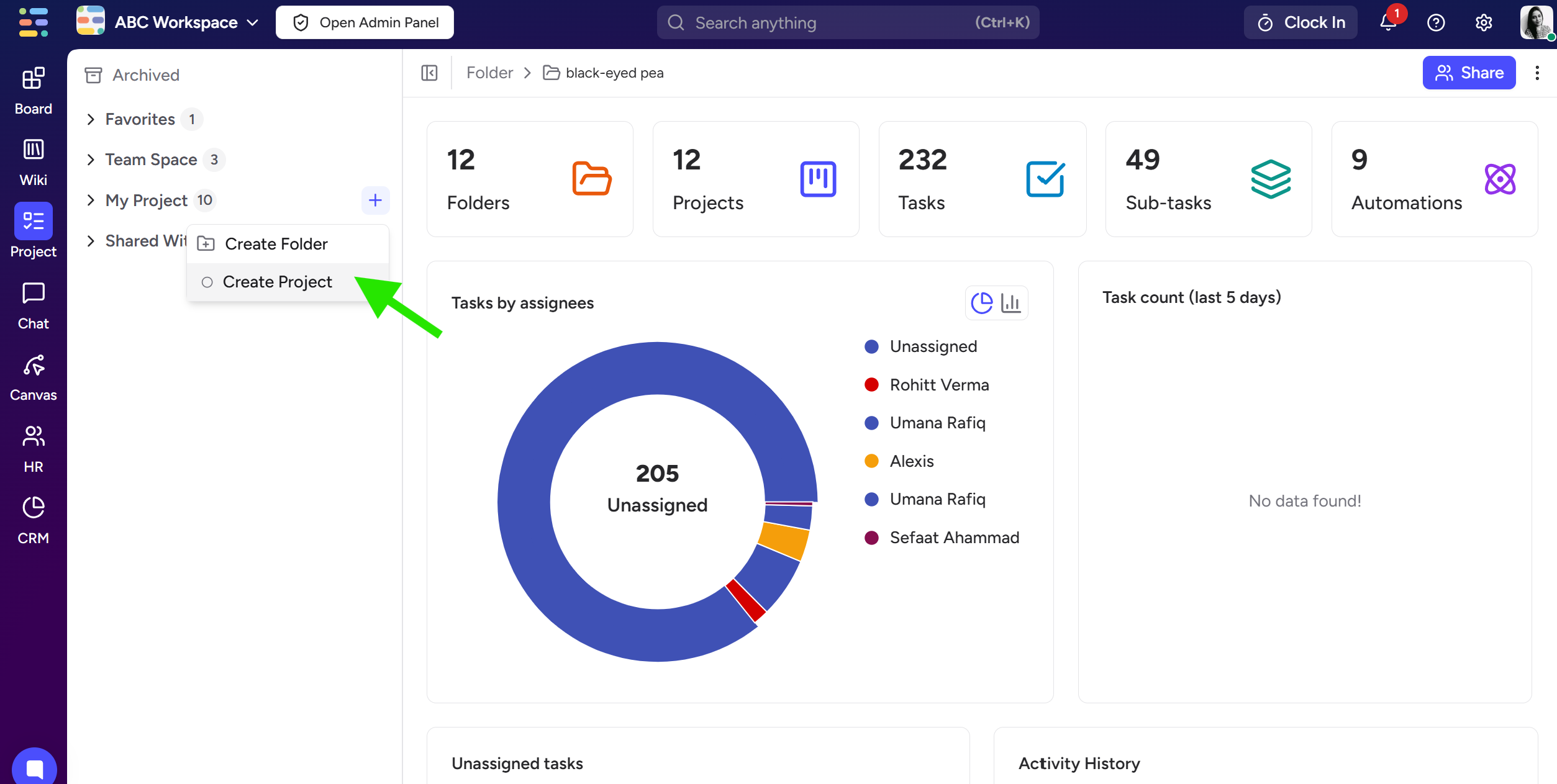
Go to the “Projects” module from the sidebar.
Click on the (+) button next to “My Project“ and click on “Create Project“
Create a task
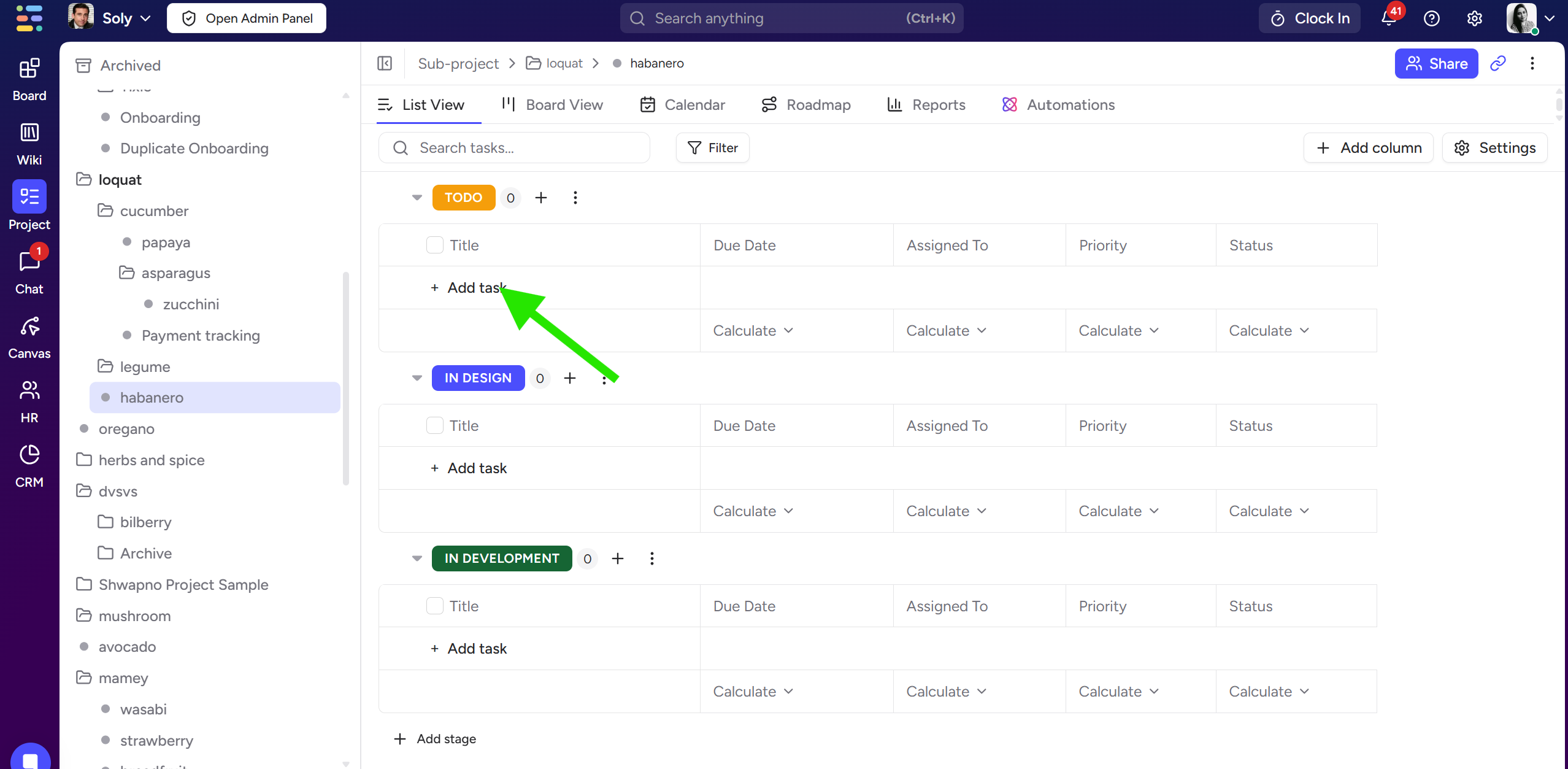
Click on “Add task“ and create your tasks in project board
Add due date, assign it to a member or set priority for each task
If you click on the task itself it will open a task detail view from the right side of your screen
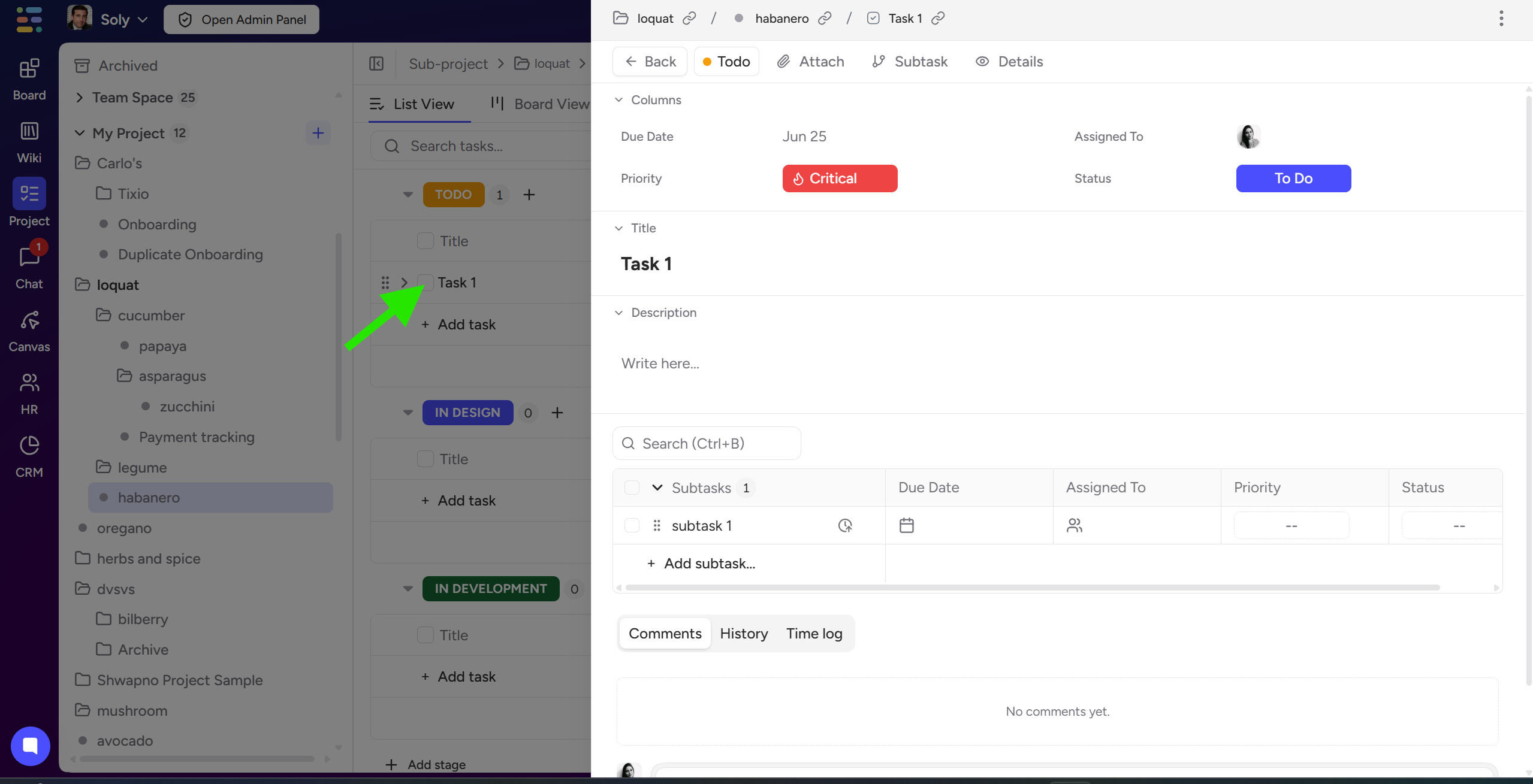
Here you can add
Task description
Subtasks
Comments
Sharing
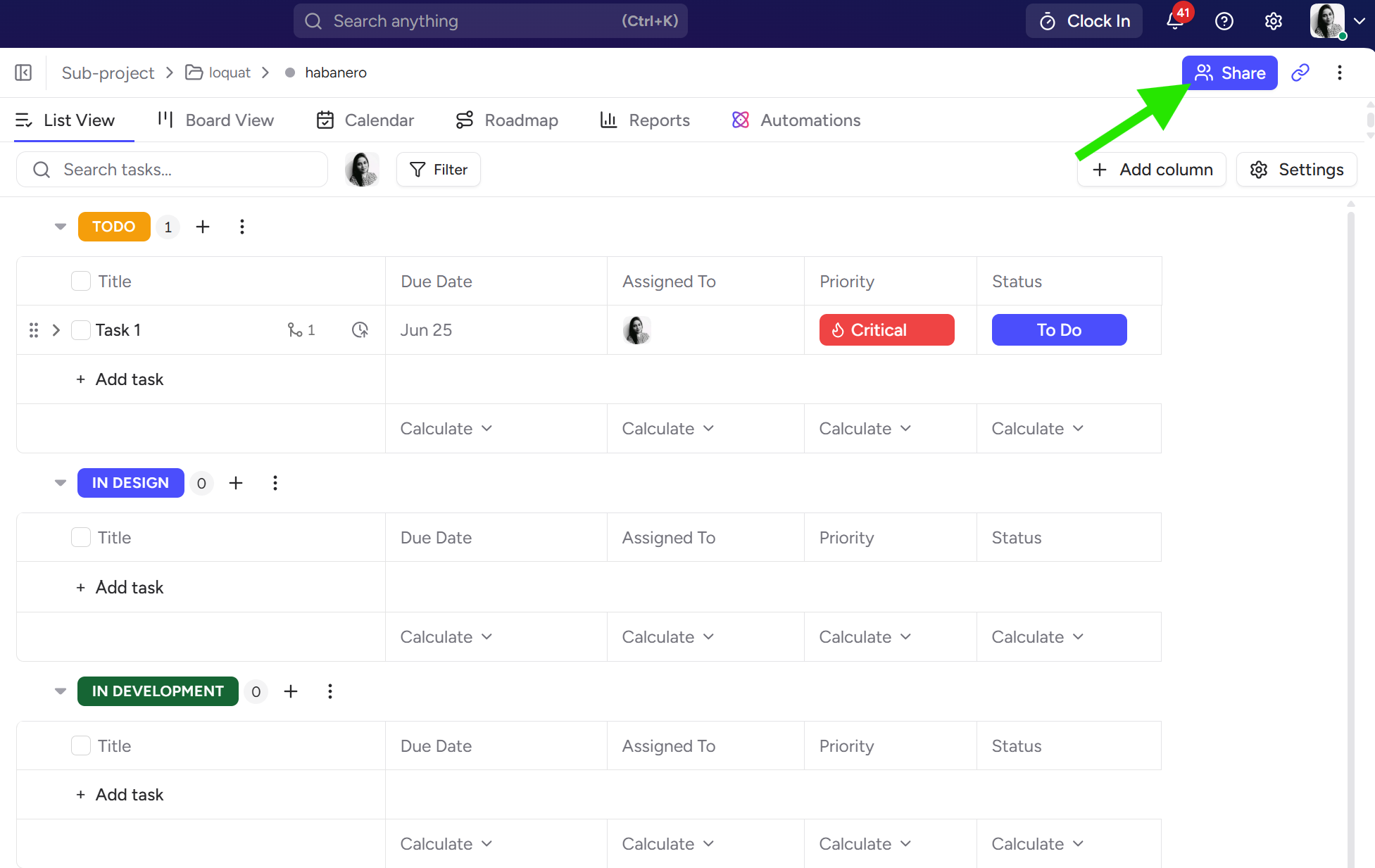
If you want to assign other people in this project, you must share the project board with them.
Click on the “Share“ button on the top right corner
Type member name or email
Select access type for the project and click on the share button
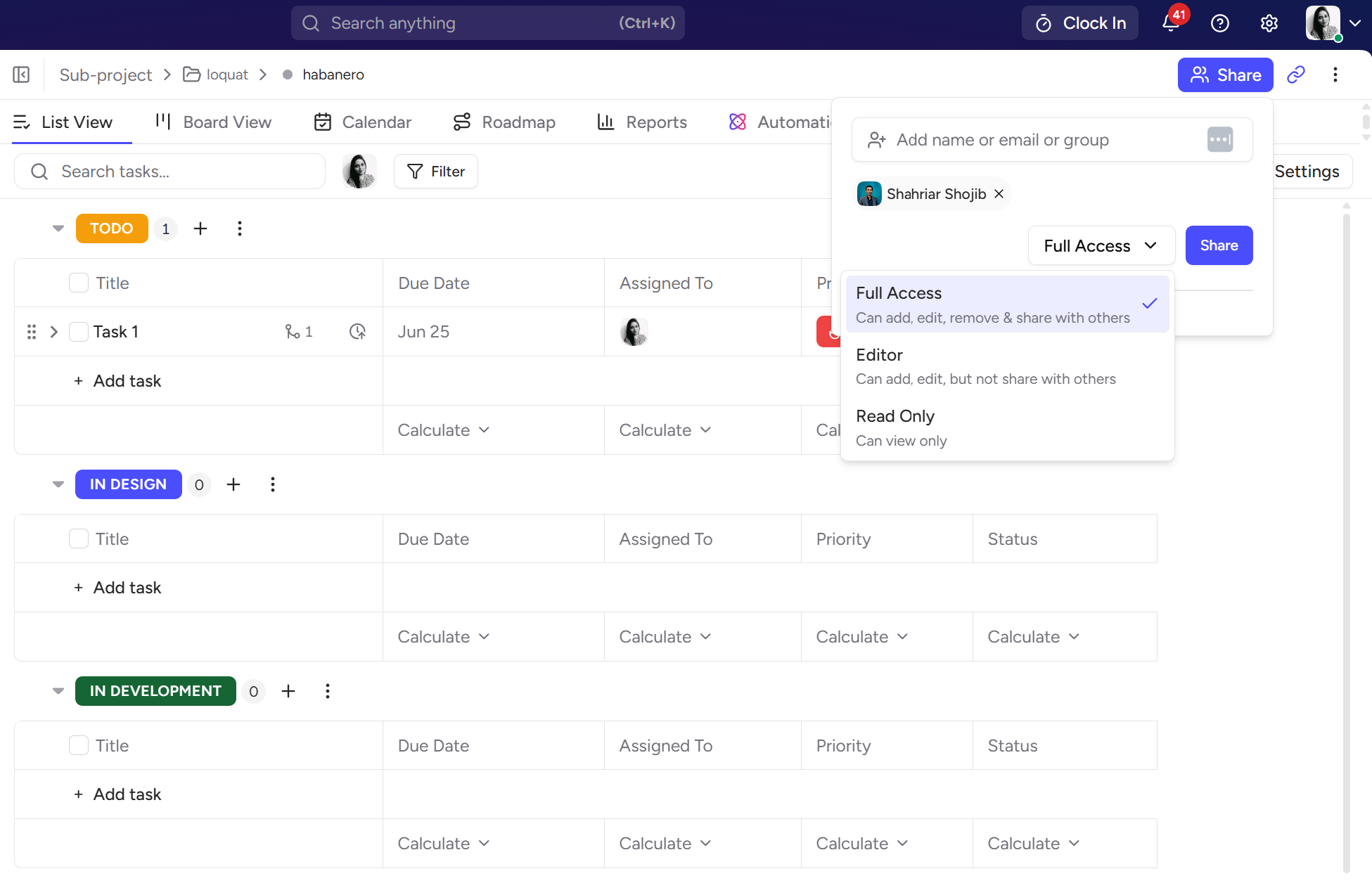
There are 3 types of access -
Full Access: Member will be able to edit everything and also share this project with others
Editor: Member will only be able to edit project but cannot share with others
Read-only: Member can only view project updates but cannot edit anything.