When a team member leaves your workspace, you may want to transfer ownership of their work to another member before removing them.
Tixio allows you to safely transfer ownership of important items like projects, wikis, boards, and channels to another user so nothing gets lost.
This ensures your workspace remains organized and work continues without interruption.
When you remove a member with Transfer Items & Delete, Tixio will move ownership of their work to another user.
The following items can be transferred:
• Projects
• Wikis
• Boards
• Channels
This means:
• Tasks and work remain accessible
• Teams continue working without disruption
• No project data is lost
Follow these steps:
Open your workspace settings and navigate to:
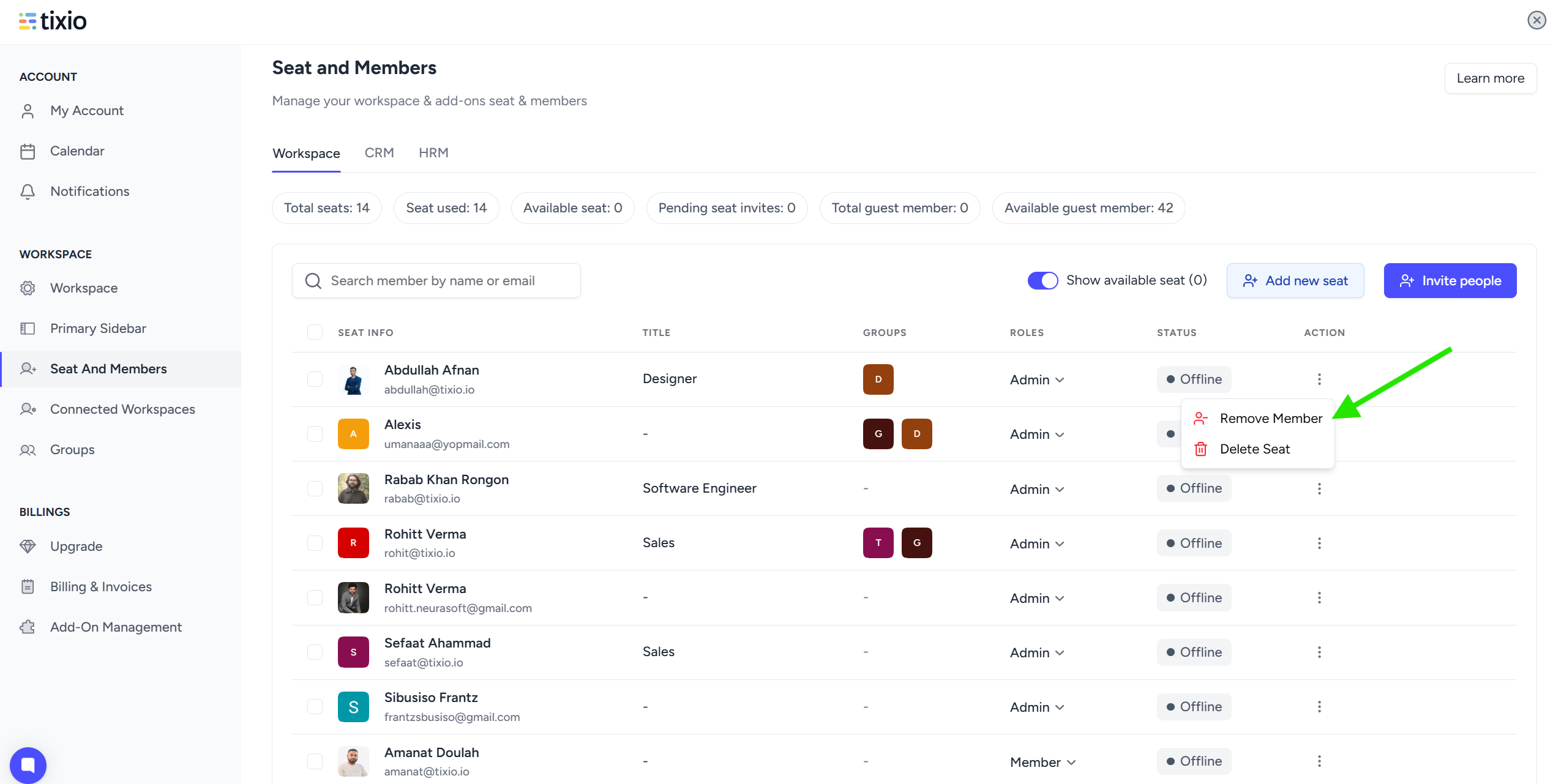
Workspace → Seat and Members
Here you will see all users currently in the workspace.
Locate the user in the member list.
Click the three-dot menu (⋮) next to their name.
You will see options like:
• Remove Member
• Delete Seat
Click Remove Member.
A confirmation window will appear.
You will see two options:
Transfer Items & Delete
or
Delete without transfer
To move their work to another member, choose:
Transfer Items & Delete
You can choose which items should be transferred:
• Projects
• Wikis
• Boards
• Channels
These will be moved to another member's ownership.
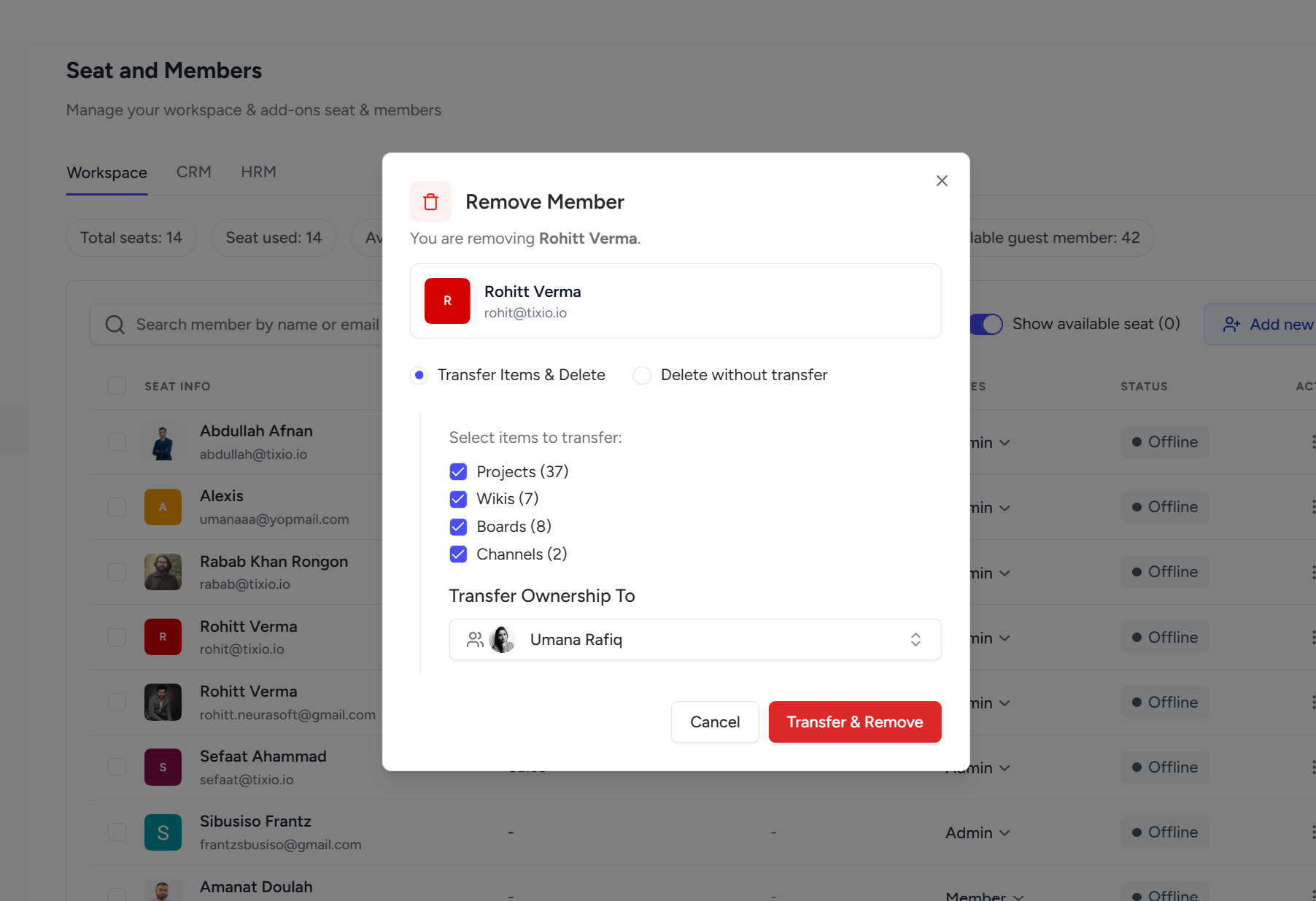
Under Transfer Ownership To, select the member who will take ownership.
Example:
Transfer Ownership To → Umana RafiqThis user will become the new owner of the selected items.
Click Transfer & Remove.
Tixio will then:
• transfer ownership
• remove the member from workspace
• preserve all work under the new owner
You should transfer ownership when:
• A team member leaves the company
• A contractor finishes their project
• You want to reassign project ownership
• Someone changes roles in the organization
This ensures work continues without losing project structure.
You can find the transferred content in your Private items section in the sidebar - My Board / My Wiki / My Projects etc.

