

Important: This deletes the workspace and all its data, not just your login. This action is permanent.
Steps
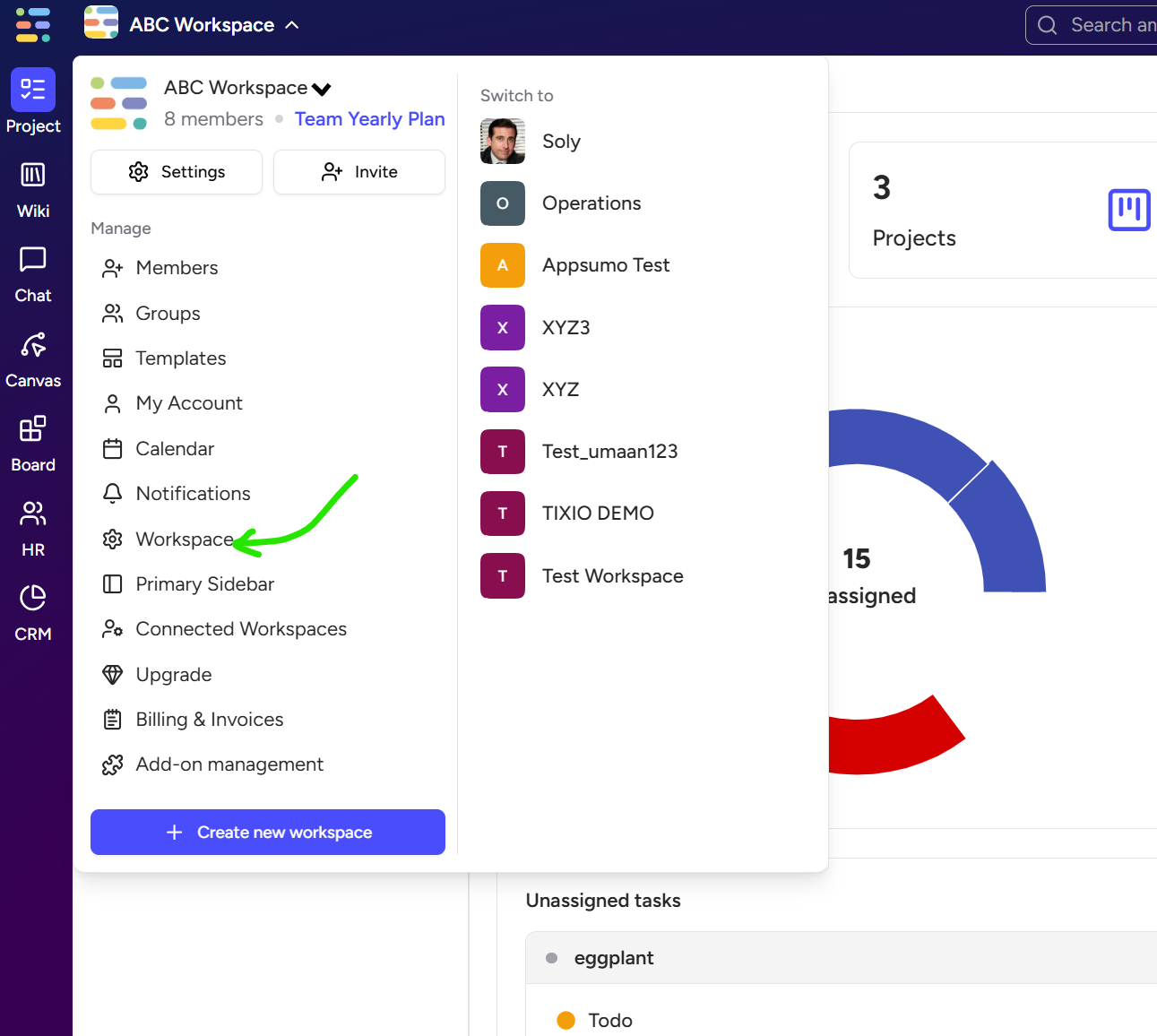
Open Tixio and click on dropdown icon next to your workspace name
From the settings dropdown menu next to your workspace name, go to ⚙ Workspace
Scroll all the way down to the Danger Zone
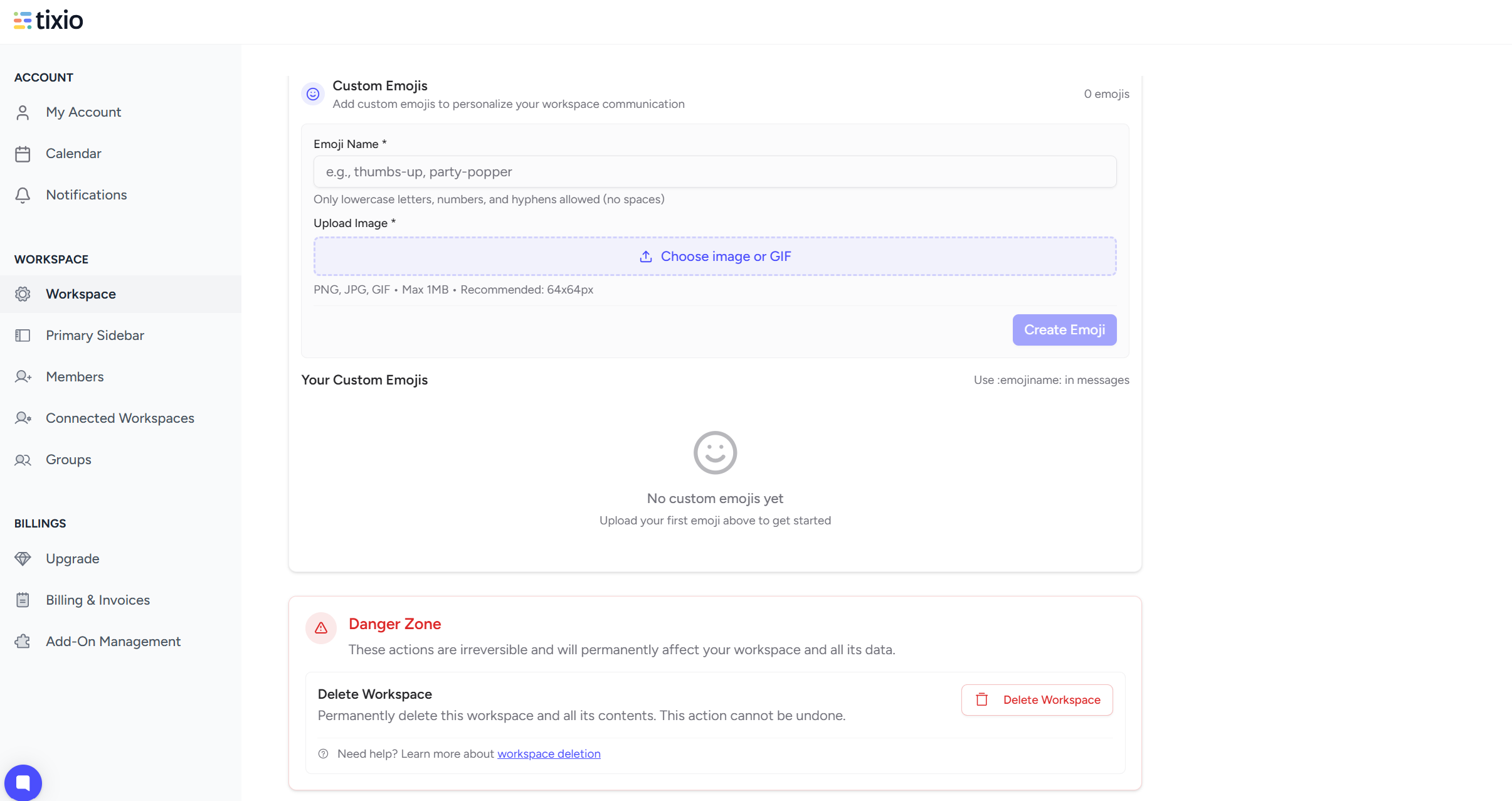
Click Delete Workspace
Confirm when prompted
That’s it - the workspace and everything inside it will be removed permanently.
But what if you want to delete your account as a workspace member?
Please contact your workspace owner / admin, who has the access to remove your account from the workspace. If you haven’t created any workspace under your account and been only added to someone else’s workspace, removing the account will permanently delete your details from our system.