To check your billing history, subscription details and invoices go to workspace settings and click on the plan to go to billing section.
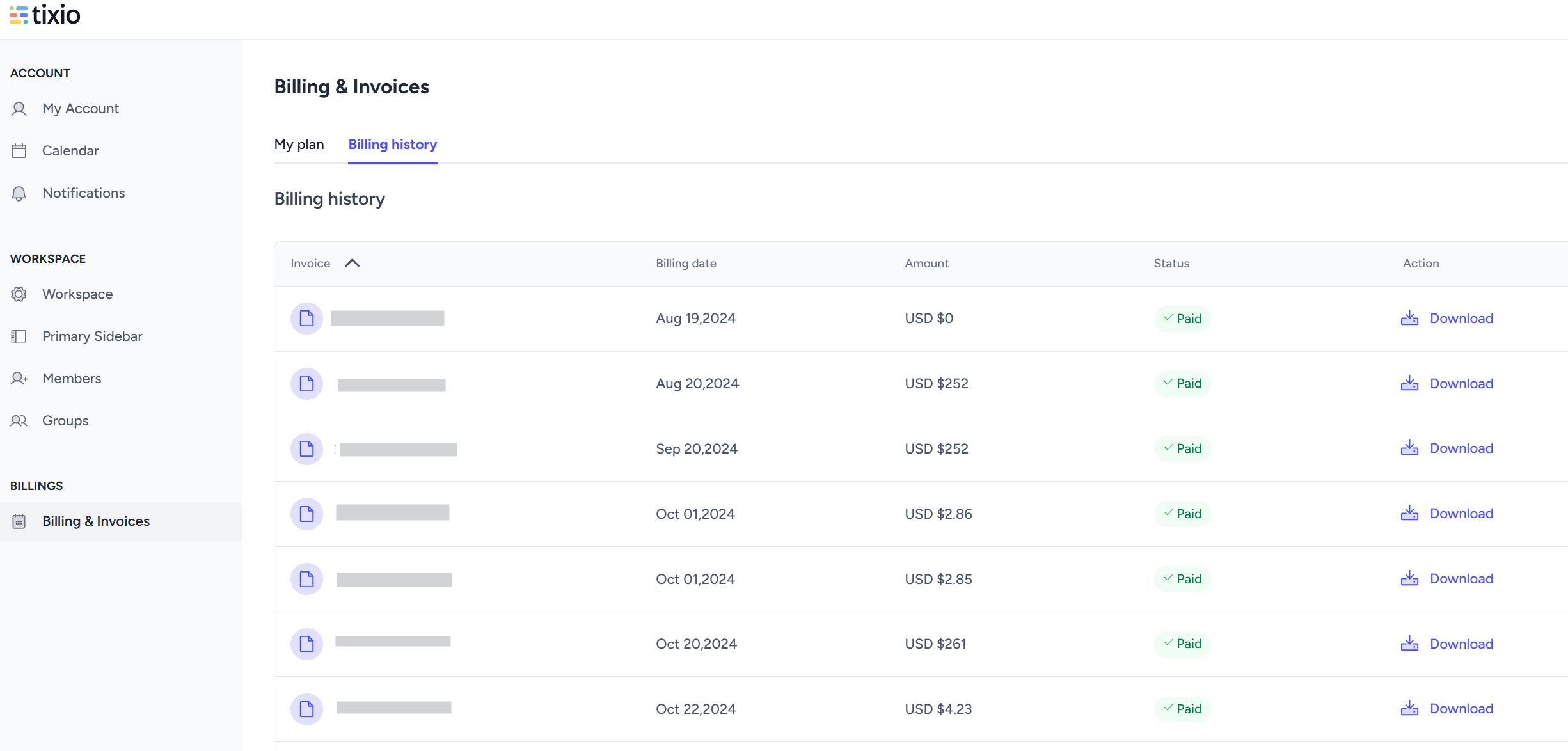
You can check and download your invoices from here, view your active subscription plan and billing history. You can even change your subscription plan from here.
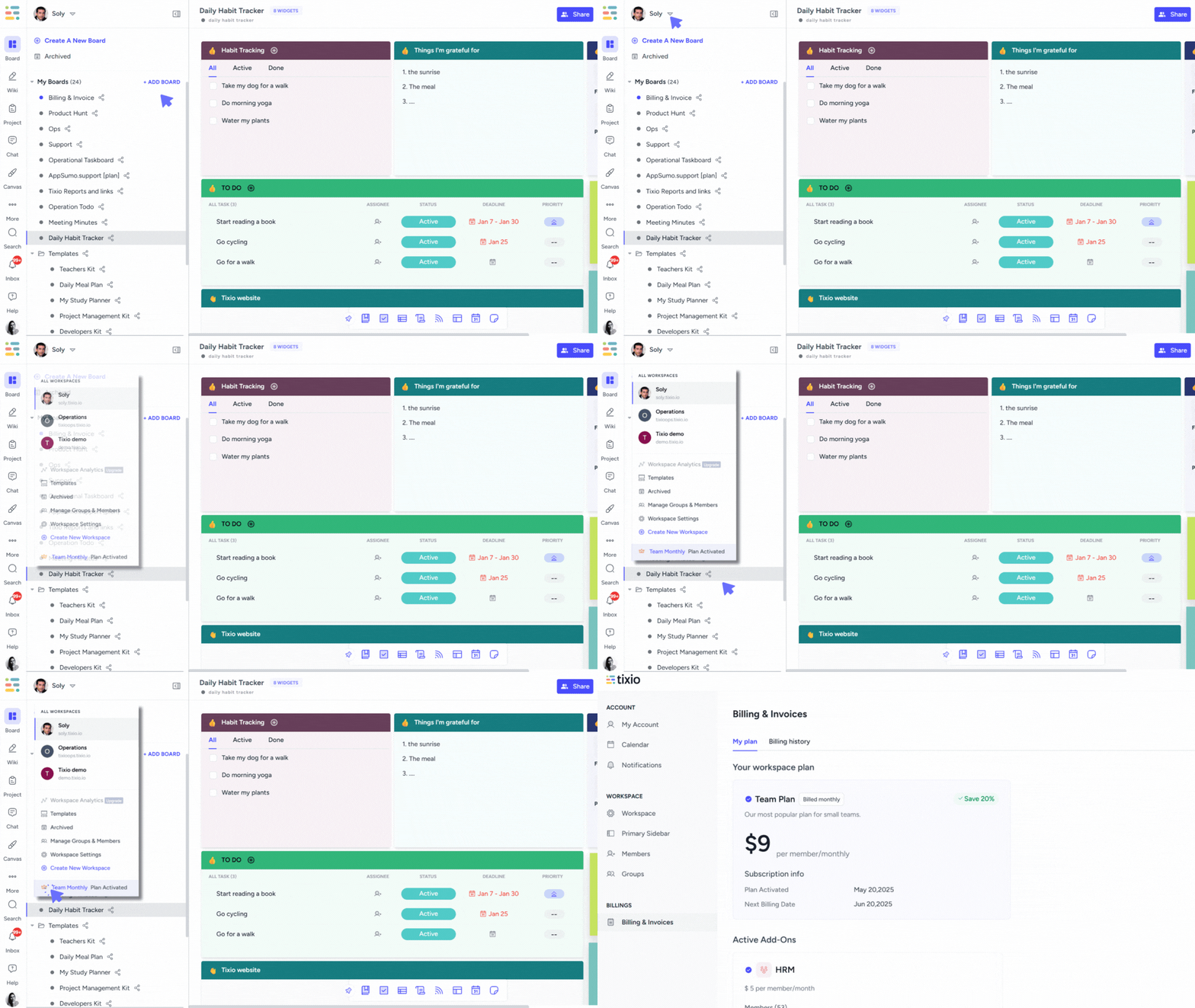
If you want upgrade access for your team or to unlock more features you can change the subscription plan.
Go to Upgrade under workspace settings>billing where you can select your subscription plan / add on and make necessary modifications later on.
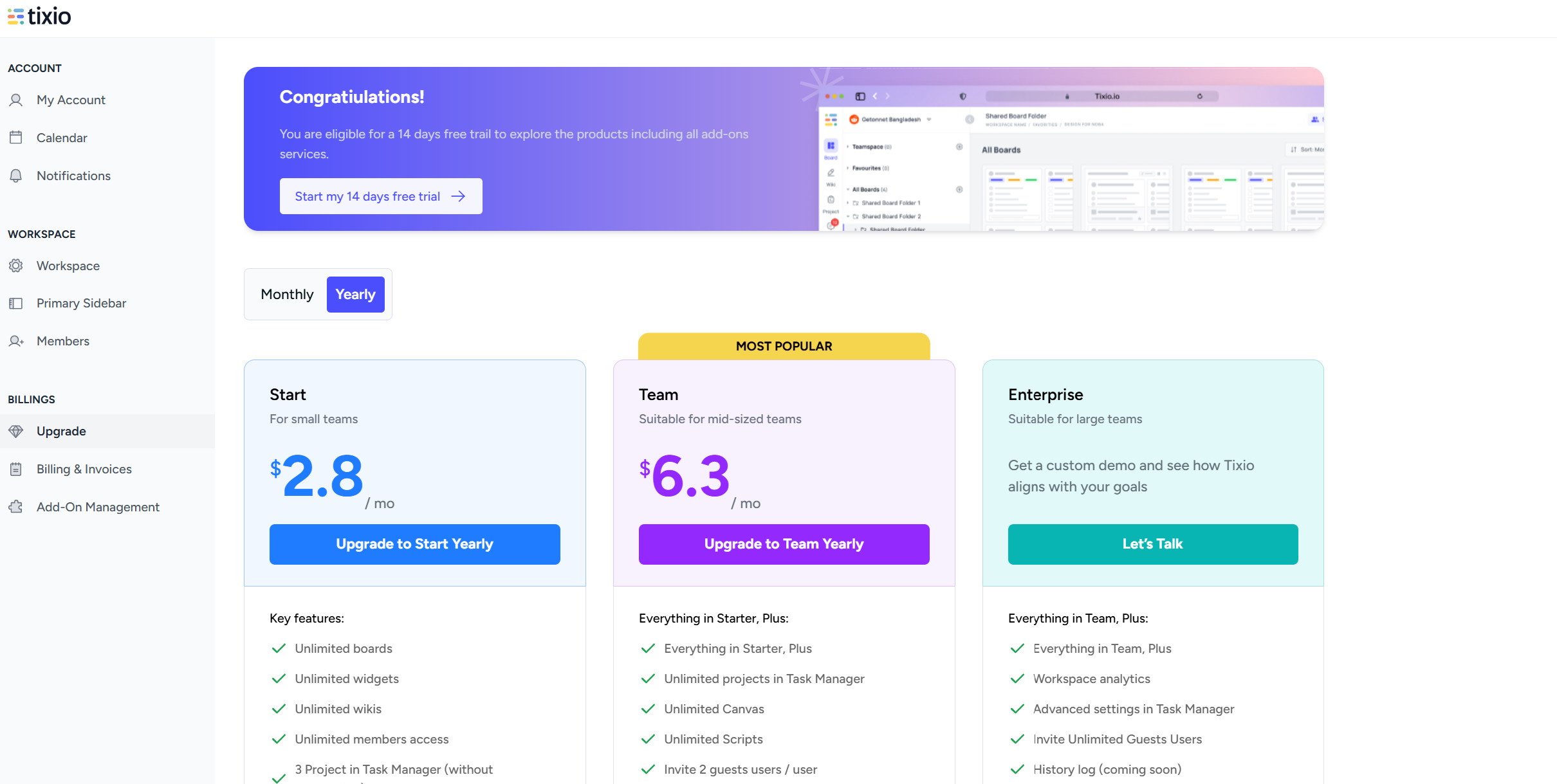
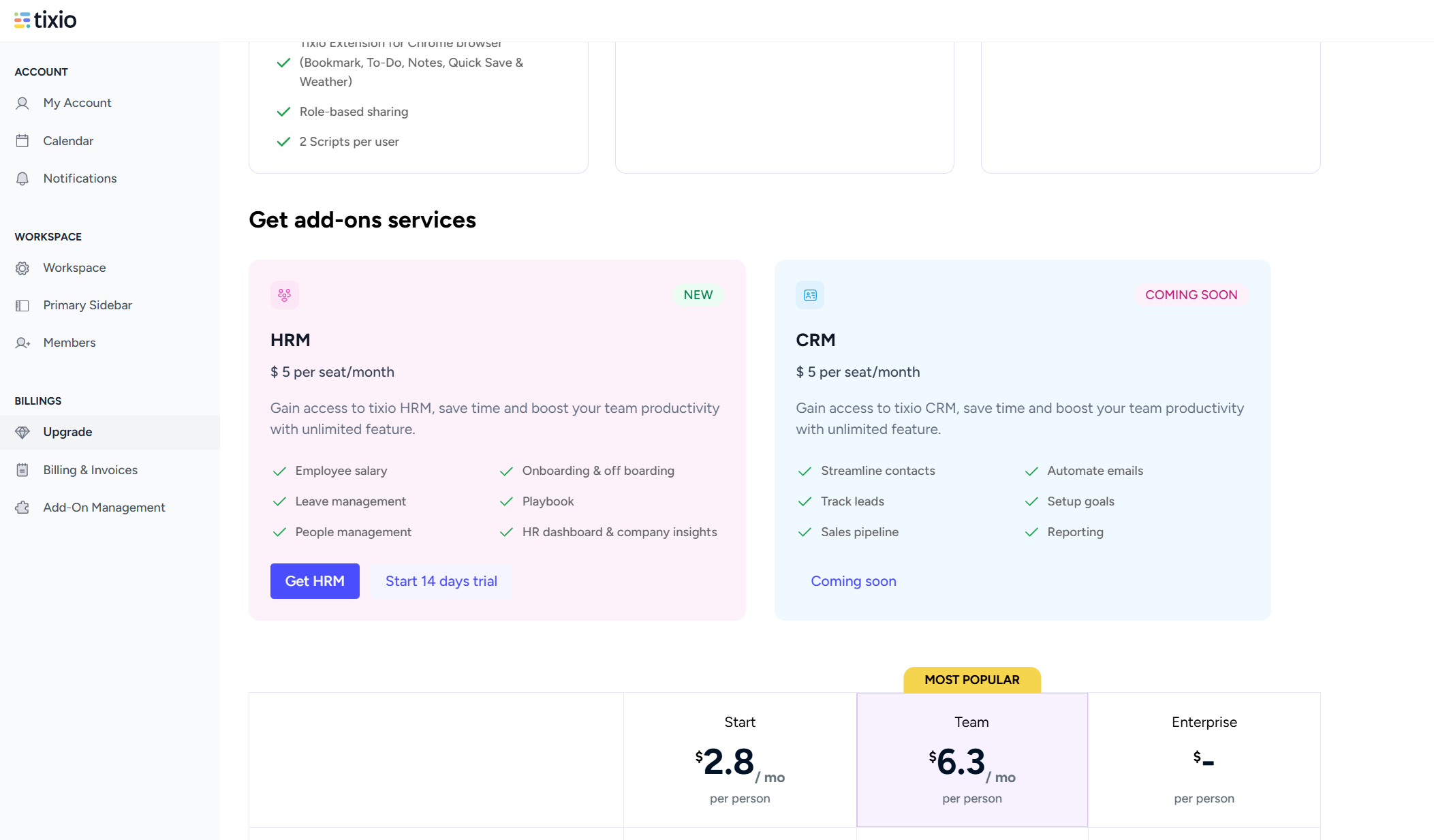
Upgrade your subscription plan to unleash more unique features of Tixio. Our plans are designed based on the type of business / work / team you manage. Choose one according to your requirement and enjoy the benefits!
You can switch between plans and monthly or yearly subscriptions.
In my plan section you can get an overview of your selected plan and active add-ons.
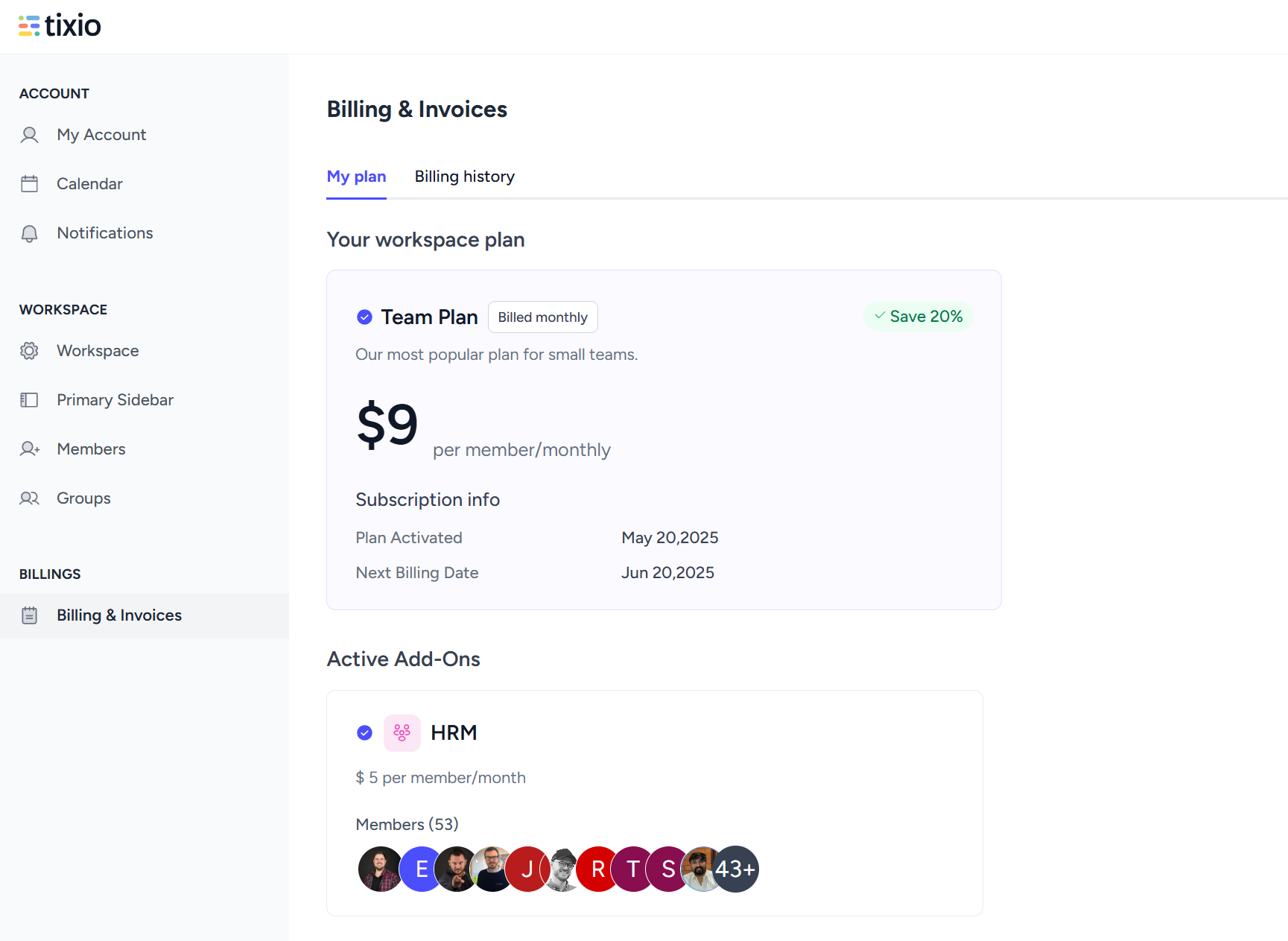
From the billing history you can see all the payments made and download Invoices.
You can add and update your payment method from Card Info. Please note that only owner has access to this, workspace admins cannot view or update card information.