Connect Tixio CRM with thousands of apps (WhatsApp, Email, Spreadsheet, Social Media & so on) through Zapier and collect leads/deals/contacts from anywhere
Before you begin, make sure you have:
An active Tixio CRM account
A Zapier account
A Tixio API Key (found under Settings → Integrations → API Keys)
Your lead source app ready (e.g., Google Sheets, Forms, Website, etc.)
Log into your Zapier dashboard.
Click Create Zap in the top-left corner.
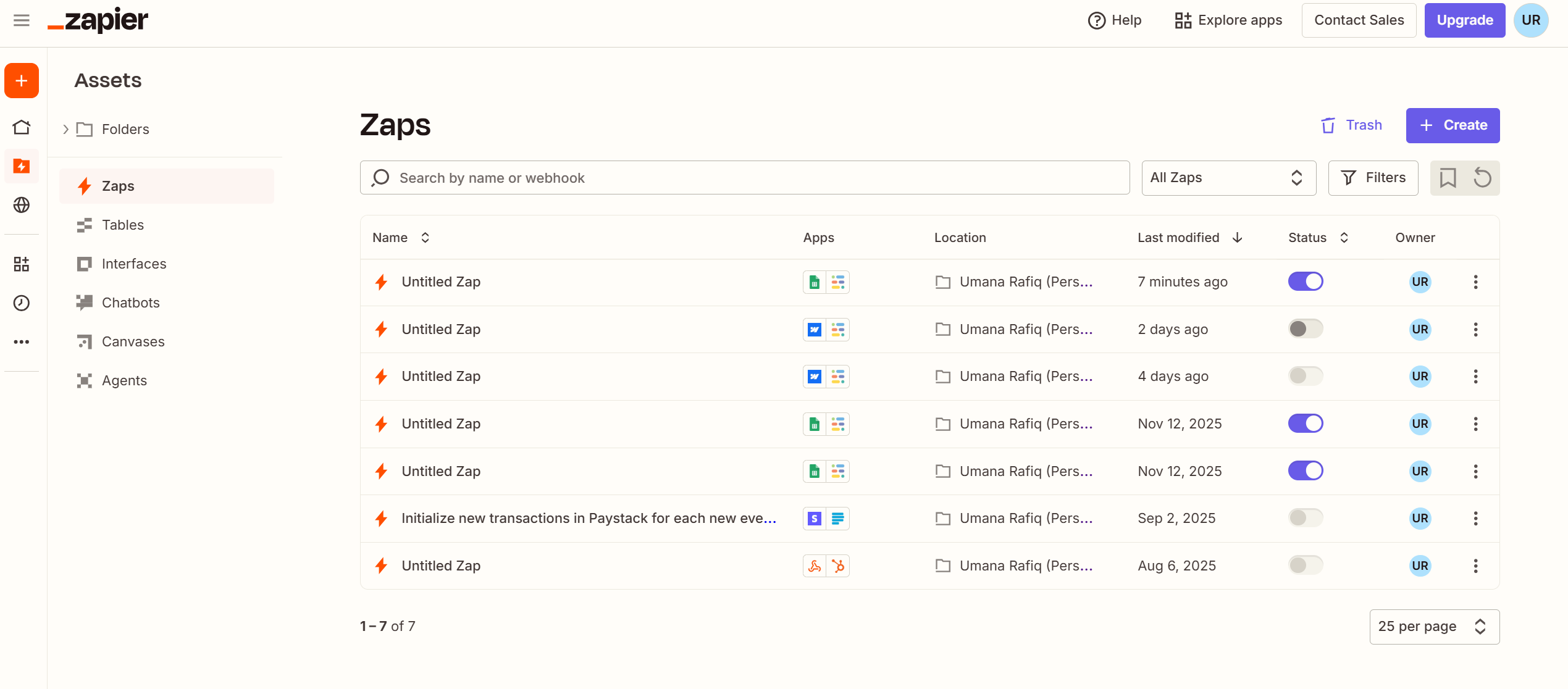
This is the app where the lead originates.
Search for Google Sheets.
Select the trigger event:
New or Updated Spreadsheet Row

Connect your Google account if you haven't already.
Select: The spreadsheet , The worksheet & Trigger
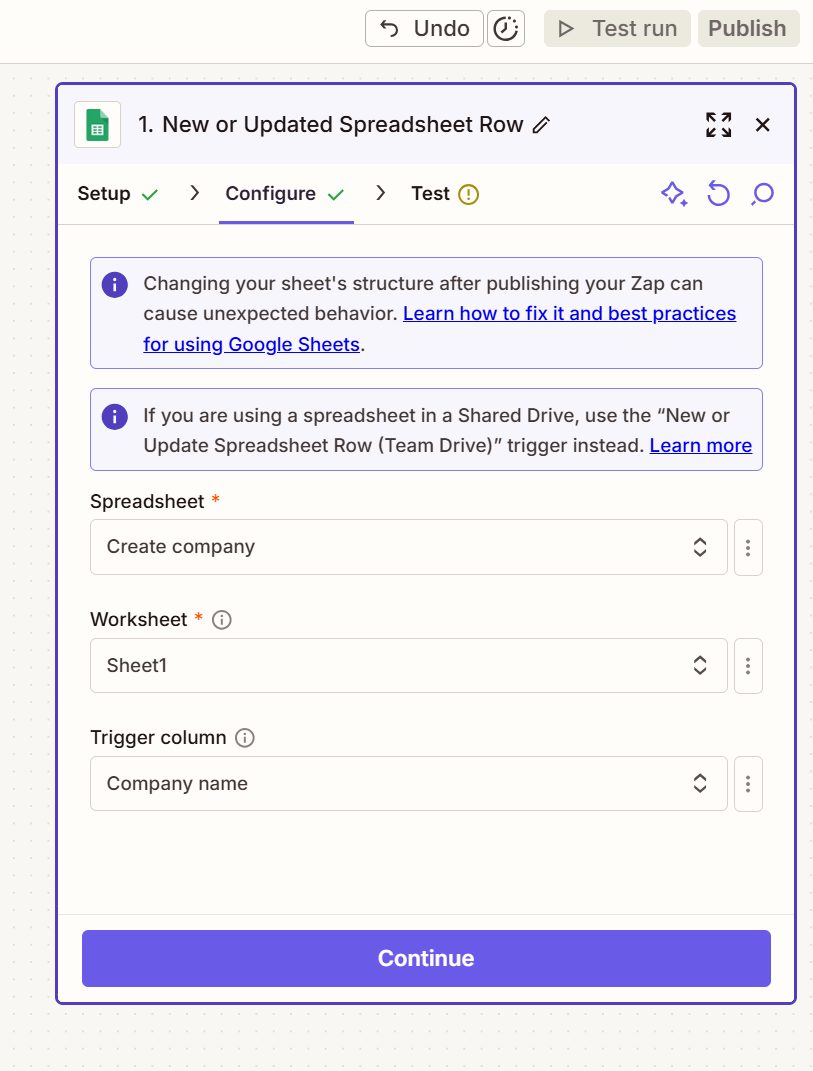
Click Test Trigger to fetch sample data.
Zapier will now display one row from your sheet as the sample lead.
Click + Add Action.
Search and select Tixio.
Choose the action event:
Create Lead, Create Deal, Create Company etc.
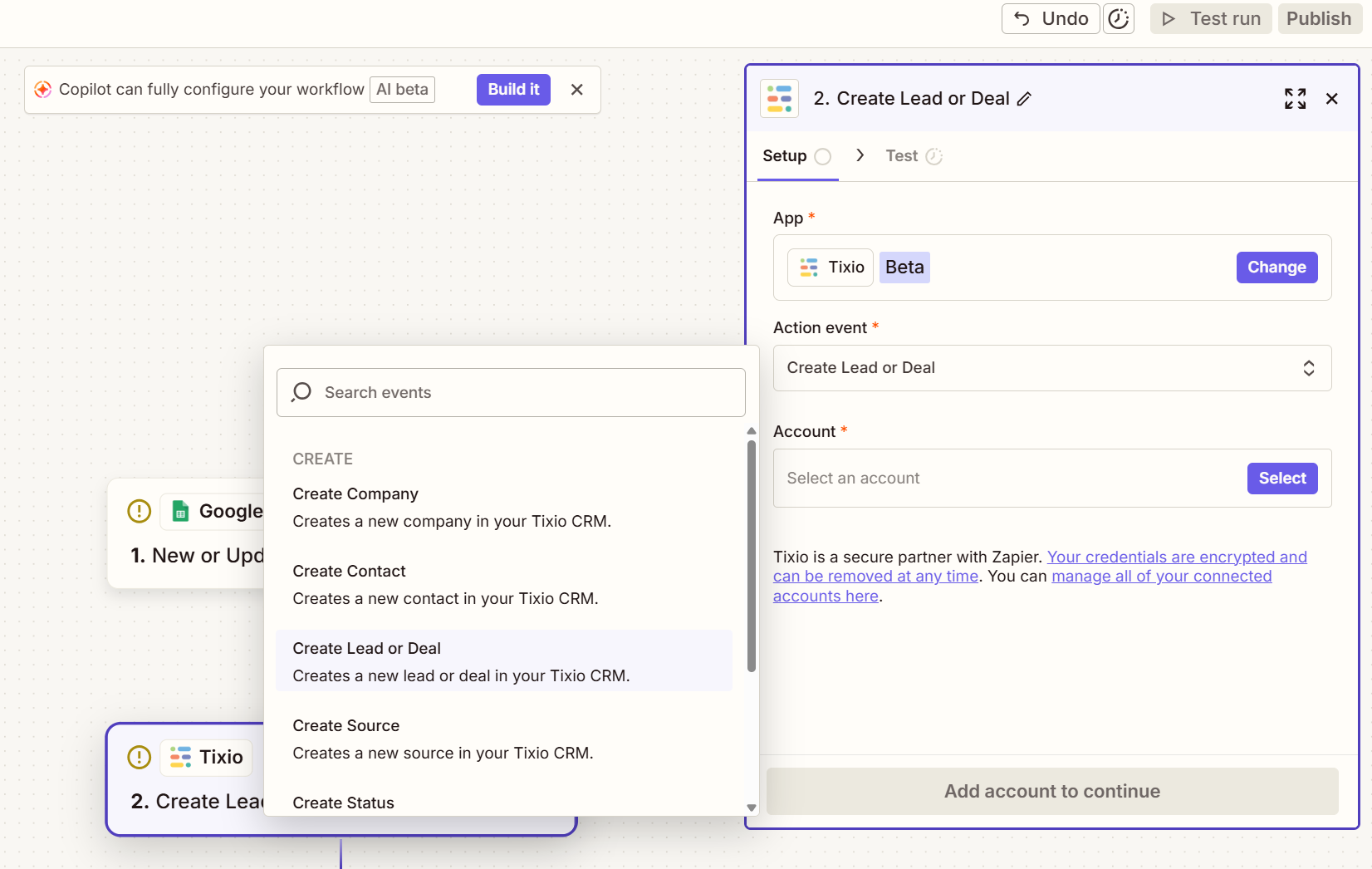
A popup will appear asking for authentication.
Go to:
Tixio → CRM Settings → API Keys

Copy your API Key.
Paste it into Zapier and click Connect.
Your Tixio account will now be linked to Zapier.
You will now see several fields to configure:
Title
Type (Lead or Deal)
Status
Priority
Additional fields (expand using Show All Fields)
Click on each field and select the corresponding value from your trigger app.
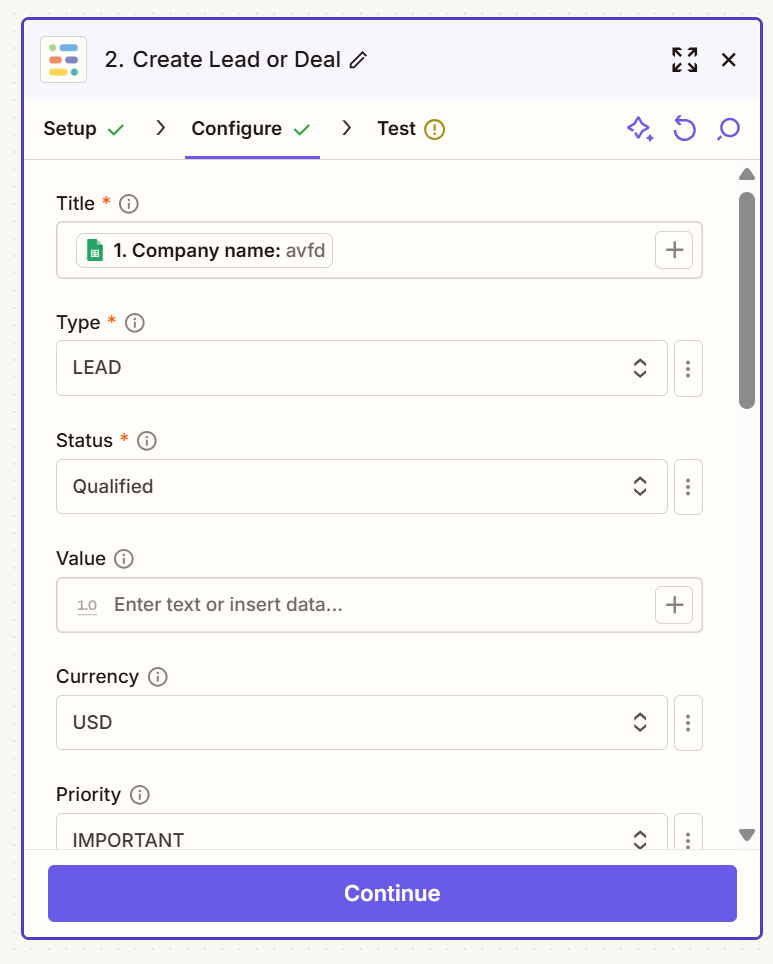
Example:
Title → Company Name (from Google Sheets)
Type → LEAD
Status → Qualified
Priority → Normal
You may also map:
Phone
Contact person’s name
Notes
Value
Custom CRM fields
Click Test Step.
Zapier will create a test lead inside your Tixio CRM account.
Go to Tixio CRM → Leads/Deals to confirm the entry.
If everything looks correct, proceed to publish.
Click Publish at the top right.
Your integration is now active and will automatically create leads/deals every time a new entry appears in your trigger app.
Once connected:
Leads are captured instantly
Data stays consistent
No manual entry is required
You can build unlimited automations with thousands of apps