The Leads module helps you manage inbound prospects before they become deals. Leads can come from ads, forms, integrations, or manual entry.
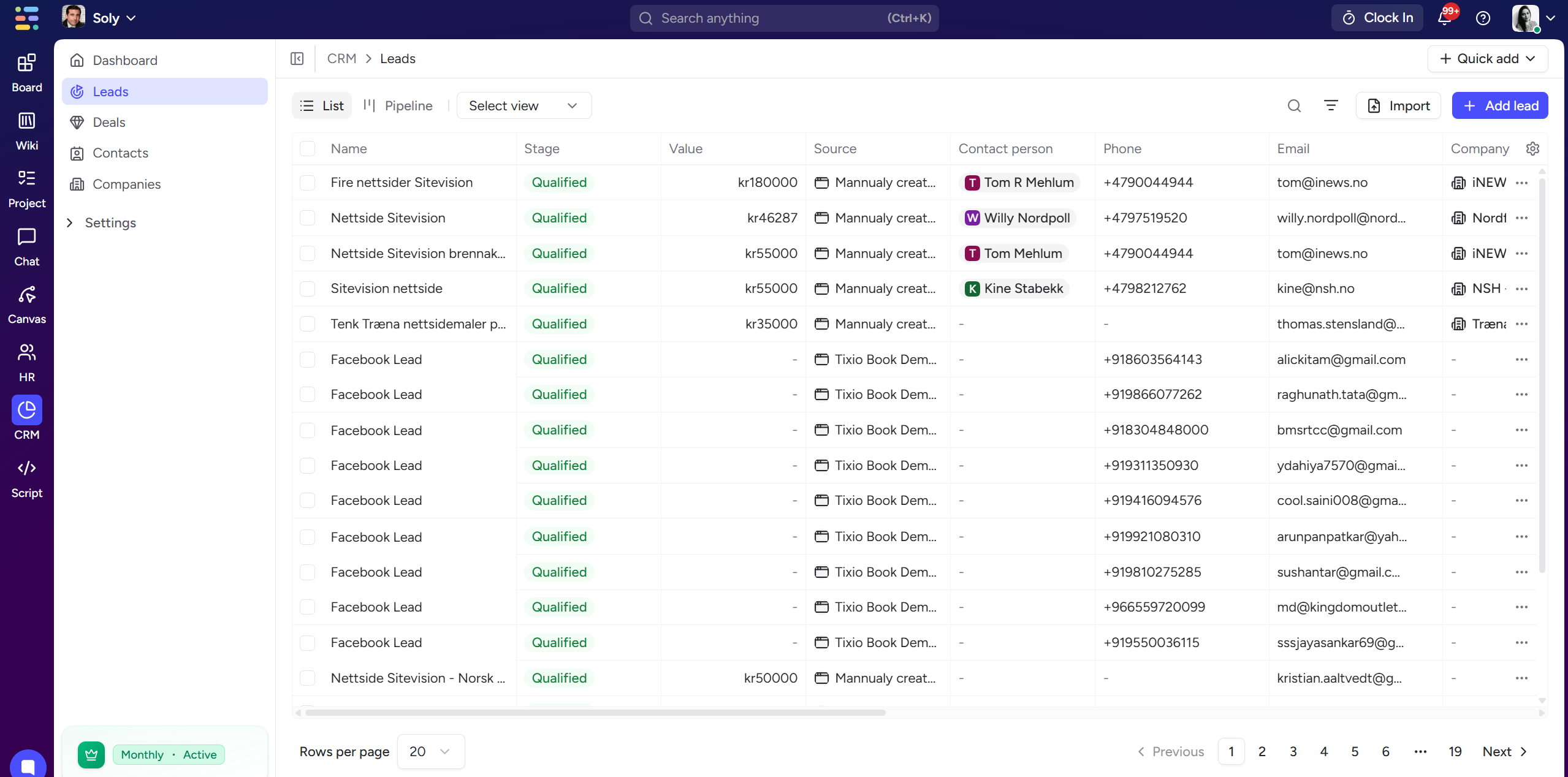
The Leads page has two views:
A table showing:
Lead name
Status
Source (Google ads, Facebook ads, LinkedIn ads, Website, etc.)
Contact person
Phone / Email
Company
Actions
Perfect for filtering and bulk actions.
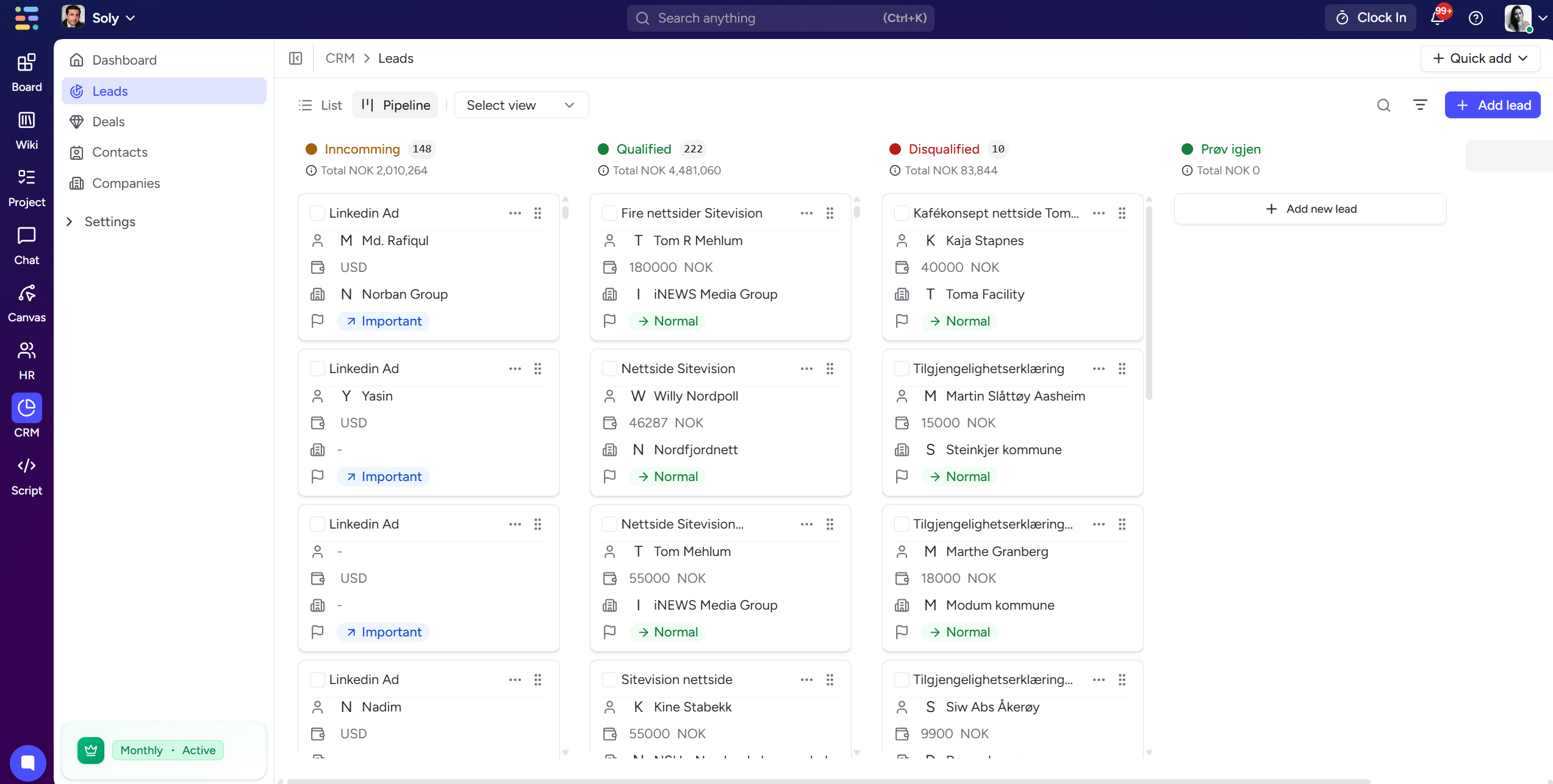
A Kanban layout grouped by statuses:
Pending
Qualified
Contact made
Disqualified
You can:
Drag & drop leads between statuses
Add new statuses
Edit colors
Rename / delete statuses
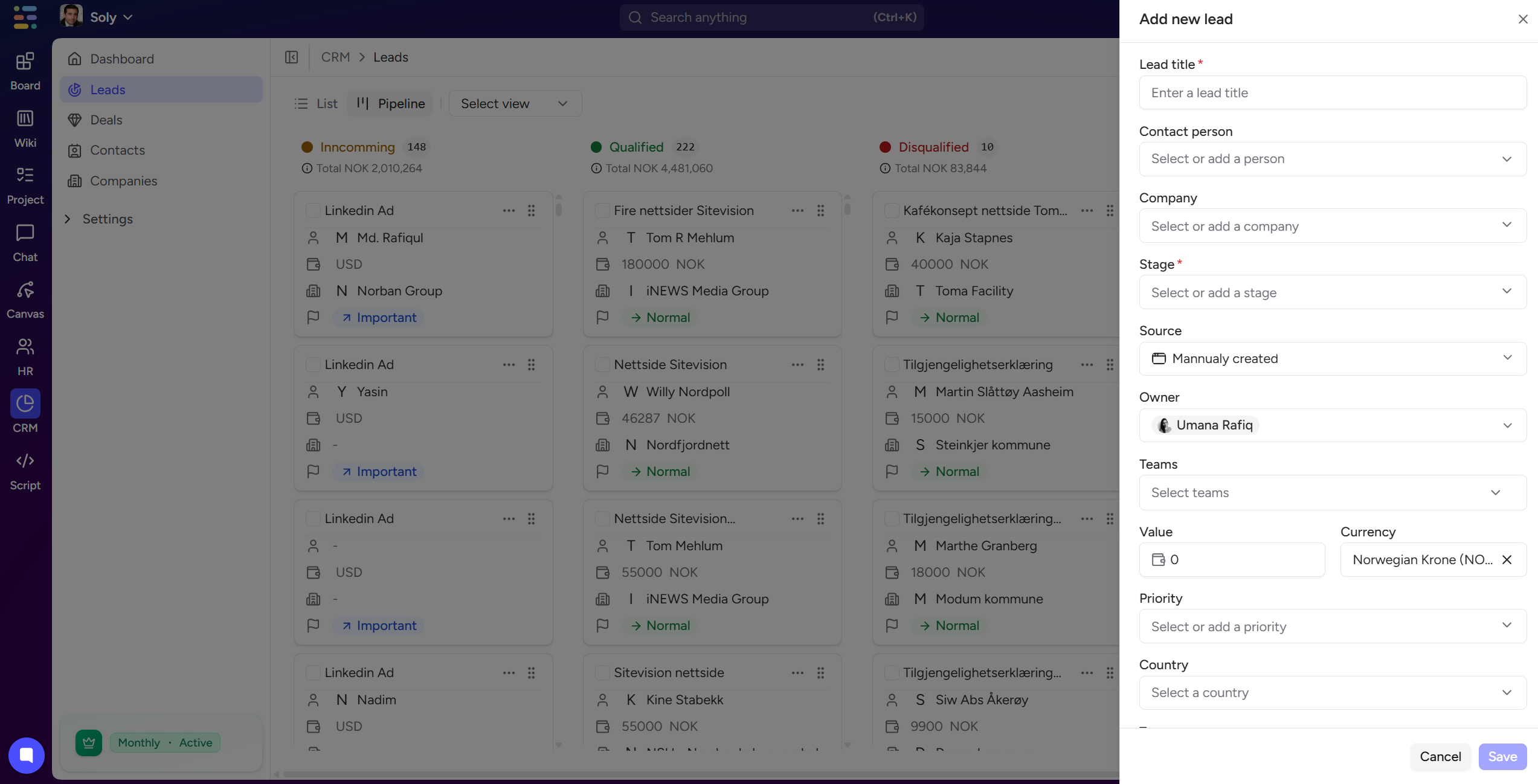
Press + Add Lead to create a new record.
You can also import leads from:
CSV
Facebook Lead Ads
Zapier
API/Webhook
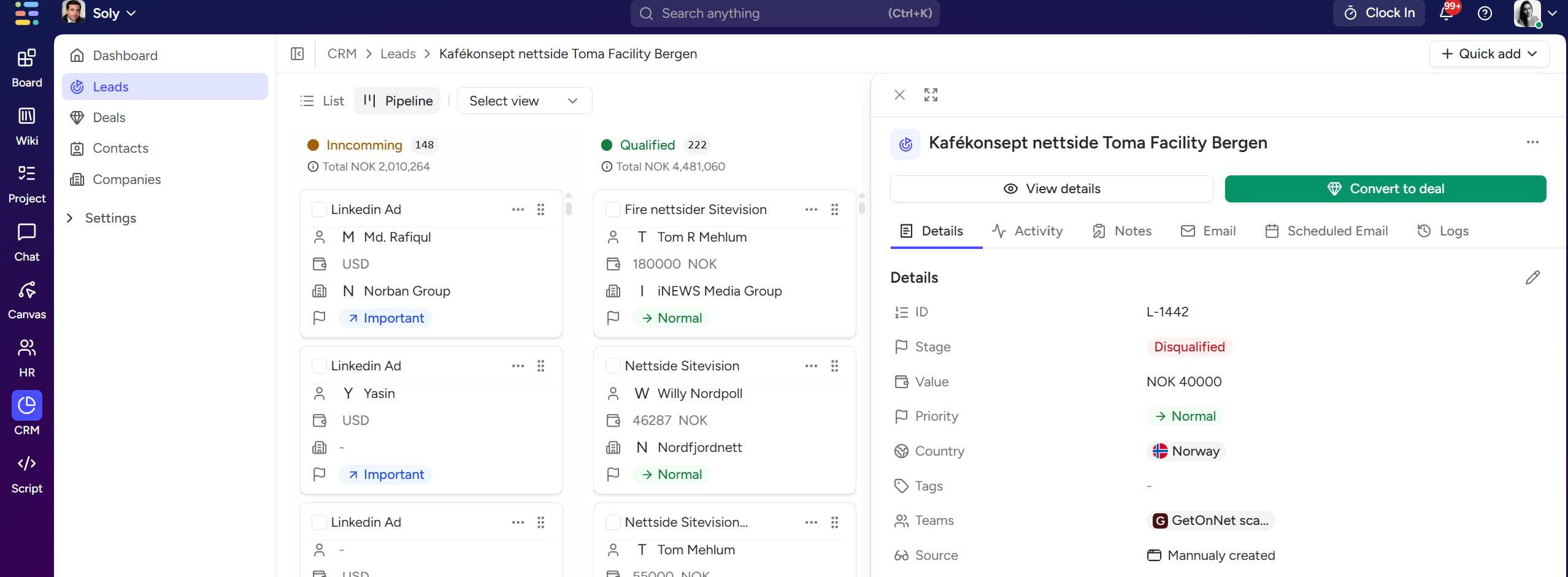
When you open a lead, you can view and update:
Status
Value
Owner
Priority
Source
Created date
Company details
Contact person
Tabs include:
Log:
Calls
Emails
Tasks
Meetings
Follow-ups
Add internal notes for context.
See all changes made to the lead.
Use Convert to Deal to instantly turn a qualified lead into an active deal in your pipeline.