This guide will help you configure Tixio HR step-by-step for a seamless user experience for your HR and employees.
After activating Tixio HR, you’ll land on HR dashboard from where you can setup Tixio HR for your organization, such as - contracts, leave policies, work schedule etc. using the Setup Guideline as shown in the video below.
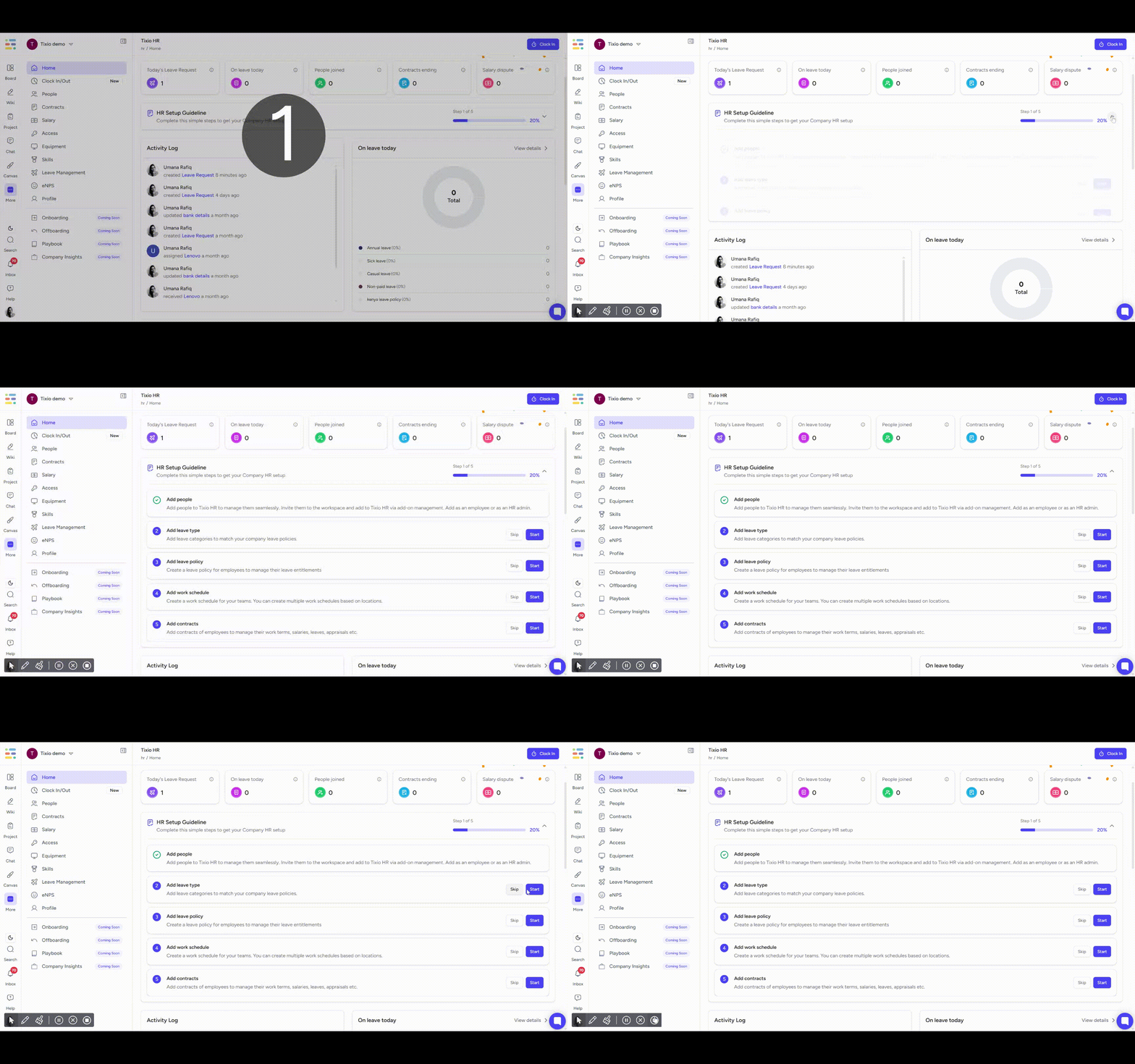
Note: Without configuring contracts, work schedules and leave policies, your employees won’t be able to use Tixio HR properly.
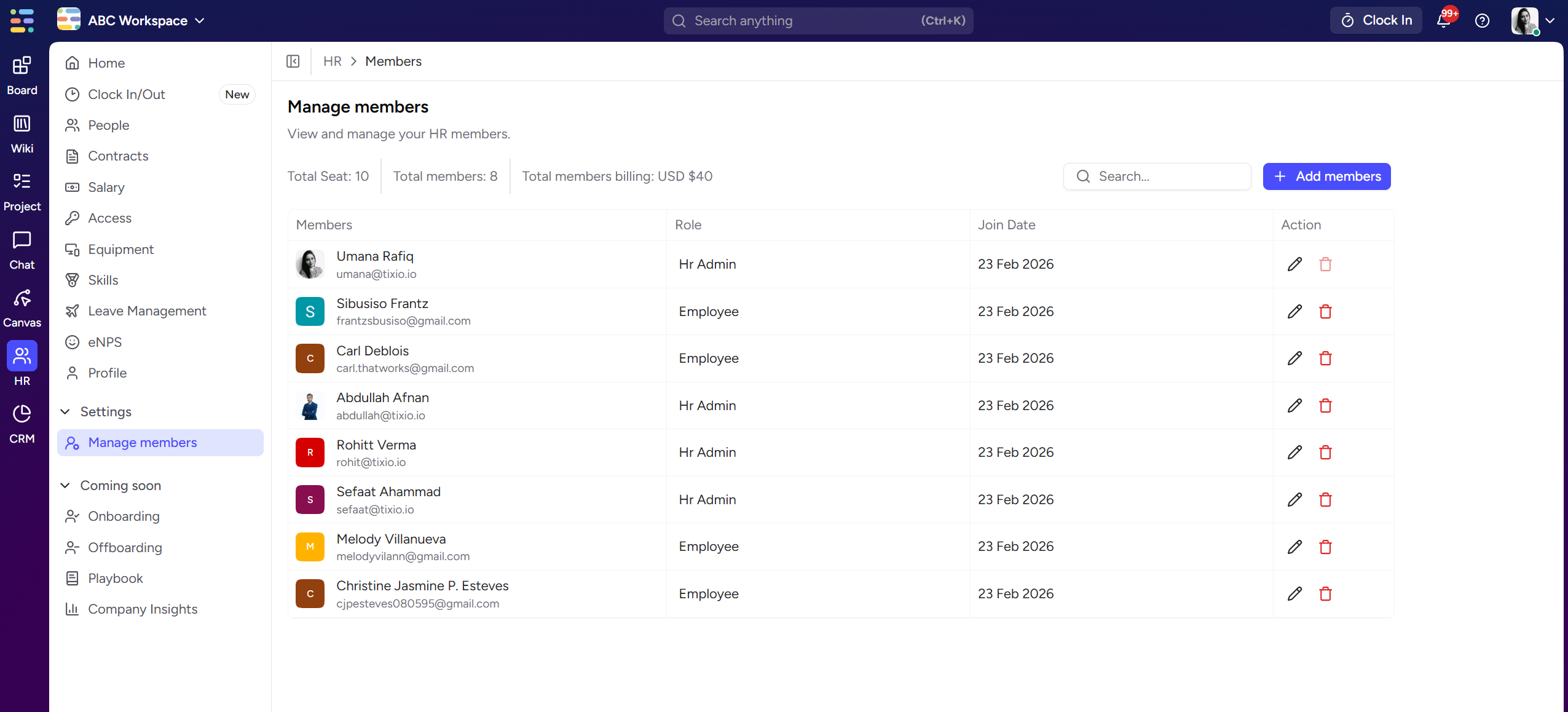
To add people in Tixio HR module, you need to invite them in the workspace or add from existing workspace members.
Note: Only workspace owners/admins can add people in HR module.
Go to HR add-on
Go » settings » manage members from the sidebar
Then click on “+ Add new members“ and select the member from workspace
Admin users can manage roles here as well
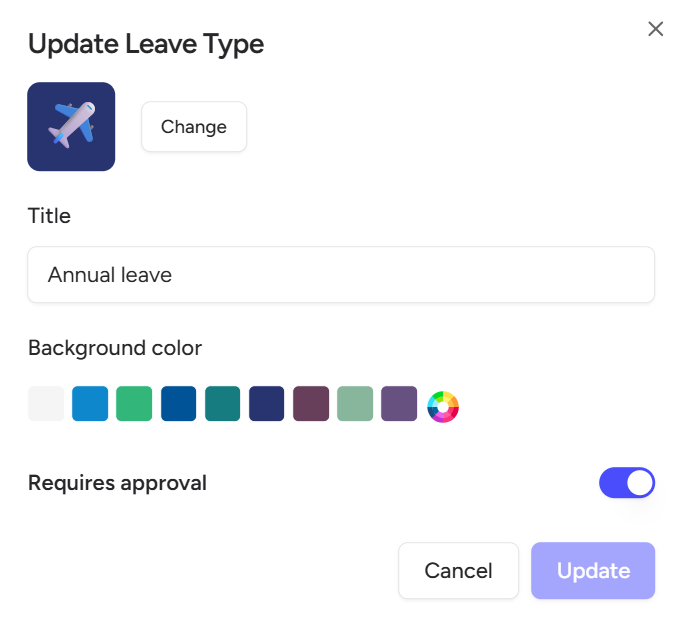
Set up the different types of leave your company offers — such as casual leave, sick leave, maternity/paternity leave, unpaid leave, or any custom type based on your policies.
You can define attributes like:
Leave title
If it requires approval
This helps standardize leave tracking and ensures your team’s time off is managed consistently. This leave type will show up when you configure contracts for employees.
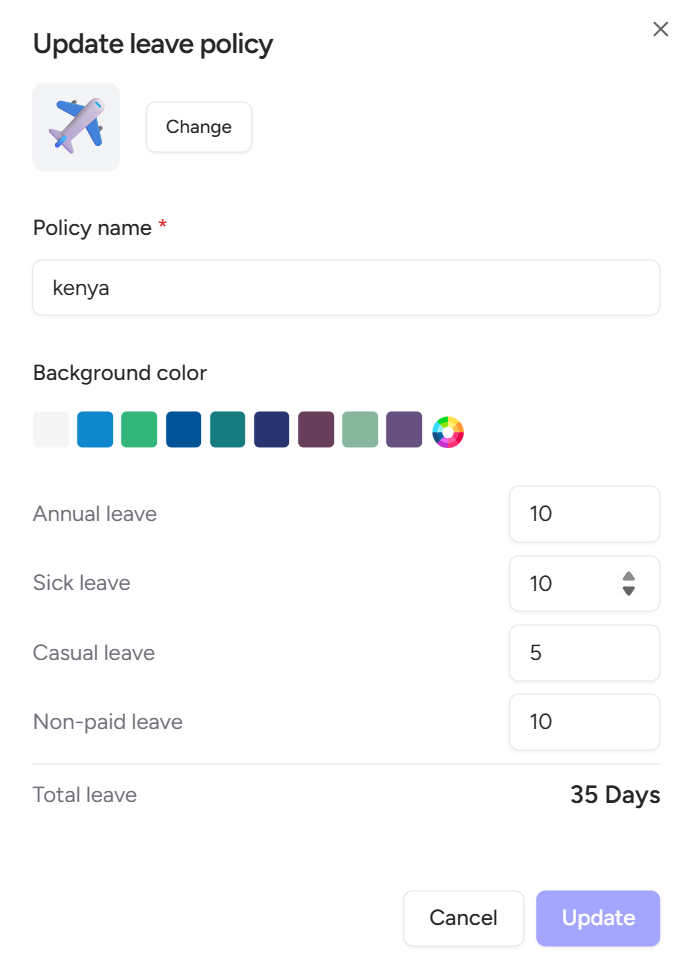
Create company-wide or department-specific leave policies that align with your HR strategy.
Leave policies apply automatically once assigned, making the process seamless and compliant.
You can configure
Policy name
Assign leave days per leave type
View total leaves assigned to this policy.
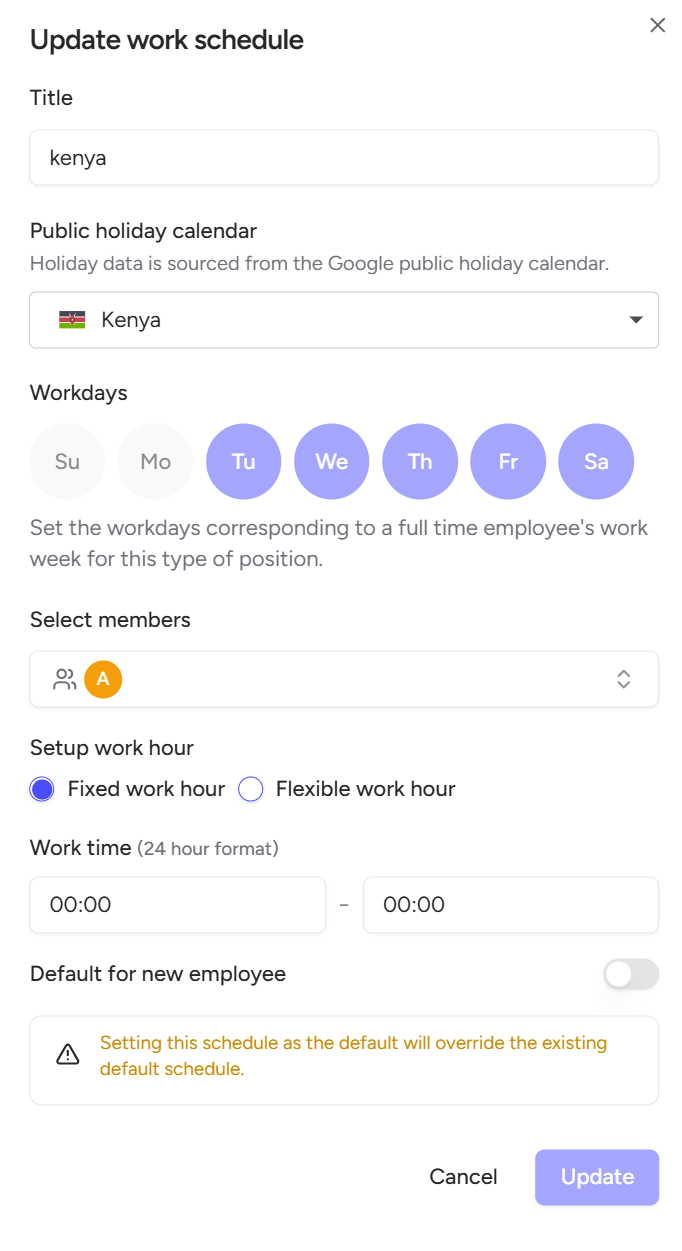
Set up custom work schedules based on time zones, regions, or country-specific calendars for your global workforce.
This ensures accurate attendance, leave, and payroll calculations — no matter where your team is working from.
You can configure:
Default working days and weekends
Public holidays based on country (add or remove)
Select members (optional)
Fixed or flexible hours based on employment type including work time
Make it default for new employees (optional)
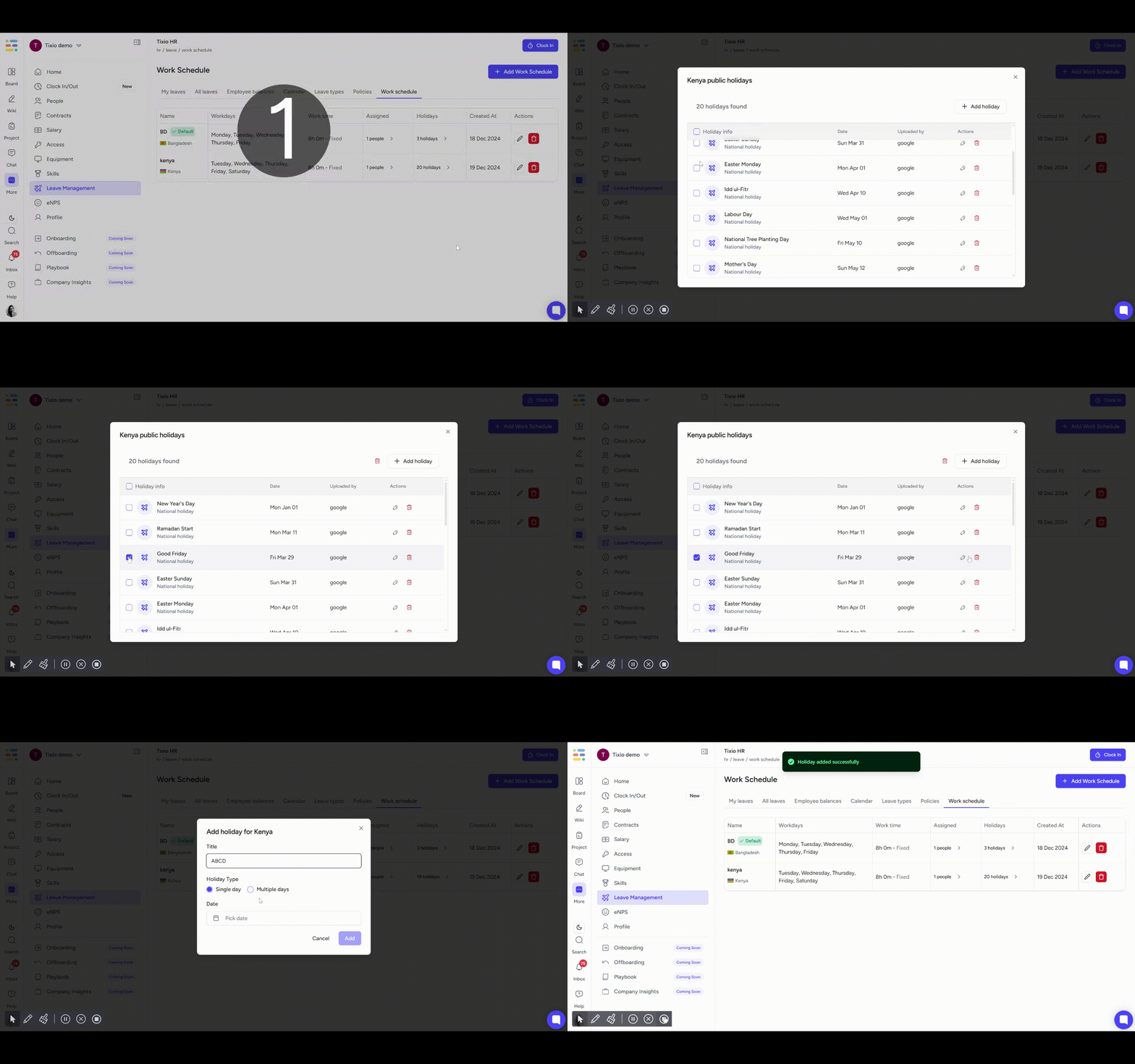
You can modify the public holidays assigned to a country. You can add or remove holidays from the calendar that will apply to employee leave calendar as well.
You must add a contract for an employee in order for them to use Tixio HR for leave management, equipment assignment, clock in/out etc.
To get a step by step instruction on contract creation please follow this guideline below.
Contract Management
Step by step guide to create contracts