The HR Dashboard is your centralized command centre for managing employee updates, daily activities, and key HR metrics, all displayed through smart, easy-to-read reports.
This dashboard is exclusive to HR admins and workspace owners, giving them the visibility they need to manage the team effectively.
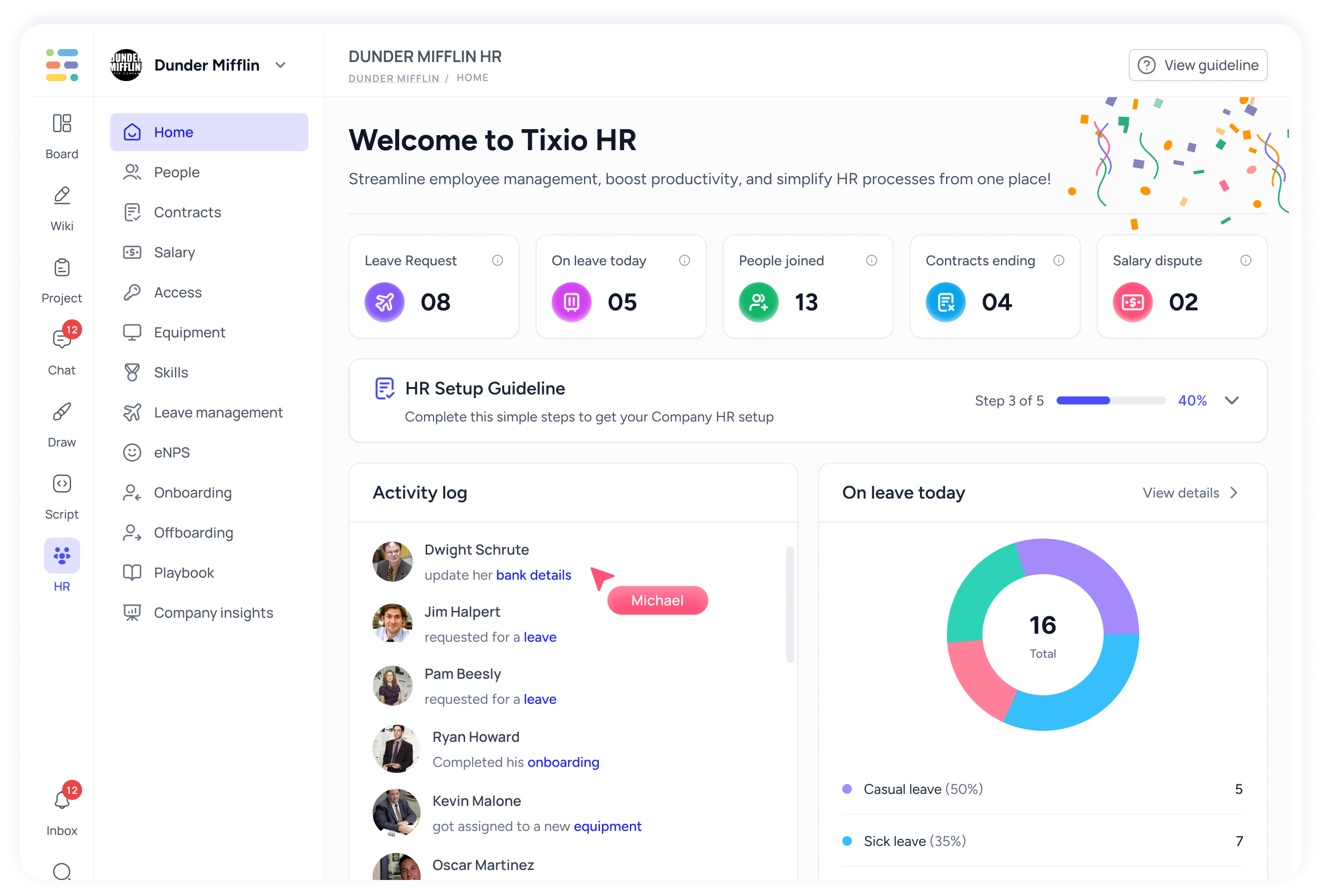
The dashboard consists of the following items:
Giving you a a step by step instruction on how to configure your HR system for your HR and employees to use effectively, for example configuring - work schedule, leave policy, contracts etc.
Leave Requests – Total number of pending or new leave requests awaiting review or action.
On Leave Today – Snapshot of employees currently on leave today, with a breakdown by leave type (casual, sick, etc.).
People Joined – Count of new employees who joined the company recently.
Contracts Ending – Number of employee contracts approaching their end date helping HR stay proactive with renewals or offboarding.
Salary Disputes – Ongoing salary issues or flagged disputes that need HR resolution.
Live feed of recent employee activities. Each item shows the user, action taken, and a quick status update.
Profile updates (e.g., bank details)
Leave requests
Equipment assignments
Onboarding completions
This gives a quick understanding of attendance trends and team availability. Visual donut chart showing:
Total employees on leave on current day
Types of leave taken (e.g., casual, sick)
Percentage and count per leave type
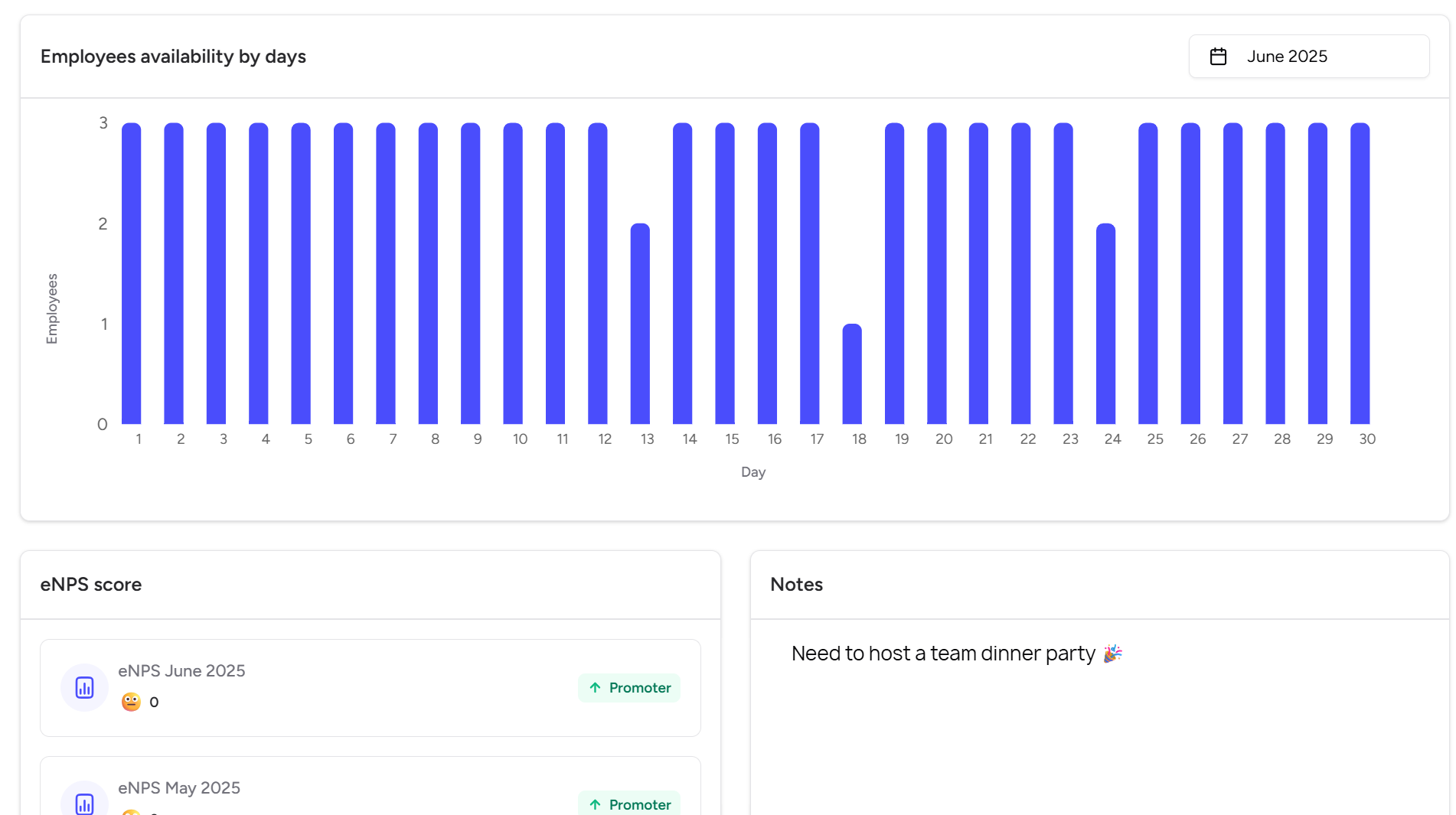
This bar chart shows your employee availability by days on monthly basis. Each bar represents the number of employees present on a given day, helping HR identify attendance dips, peak absenteeism days, or staffing consistency trends.
Perfect for planning workload, team meetings, or detecting unusual patterns (like that mysterious dip on the 18th 👀).
This section tracks your team's sentiment and satisfaction over time. Use this score to measure morale, drive engagement strategies, and act on internal feedback.
A simple but essential notepad for HR admins, perfect for reminders, action points, or fun updates.