In this section, we will guide you on how to manage employee details. Add Employee data on Tixio HRM to track information, teams, location & organogram from one convenient place. Make employee directory accessible for everyone boasting transparent roles and structure.
For your employees / HR admins to show up in this directory, you must add them to HR add-on.
Add people to Tixio HRM to manage their information from unified platform. Once you add them to HRM, they will be able to access the HRM services. Otherwise they, won't be able to access Tixio HR.
Look into the article below on how to add people on HR add-on.
How to add Tixio HR Add-on?
Step-by-step guide to Tixio HR Add-on
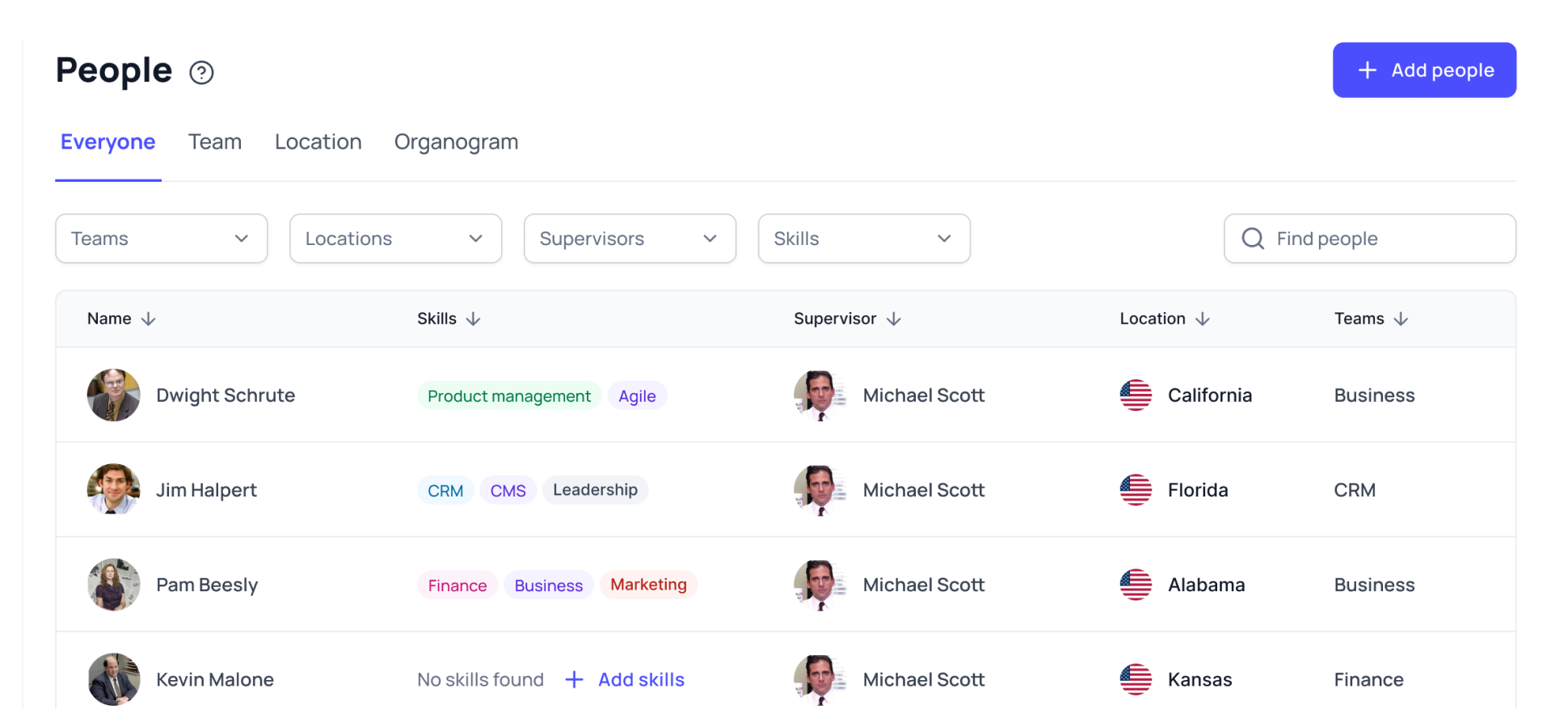
On this tab you can see the combined list of employees from your organization. The list will show their information such as - name, skills, supervisor, location, teams etc.
Click on employee name from the list to get access to employee profile where you will be able to view employee details. HR admins can edit details from here on behalf of employees but other employees can only use the directory in read-only mode.
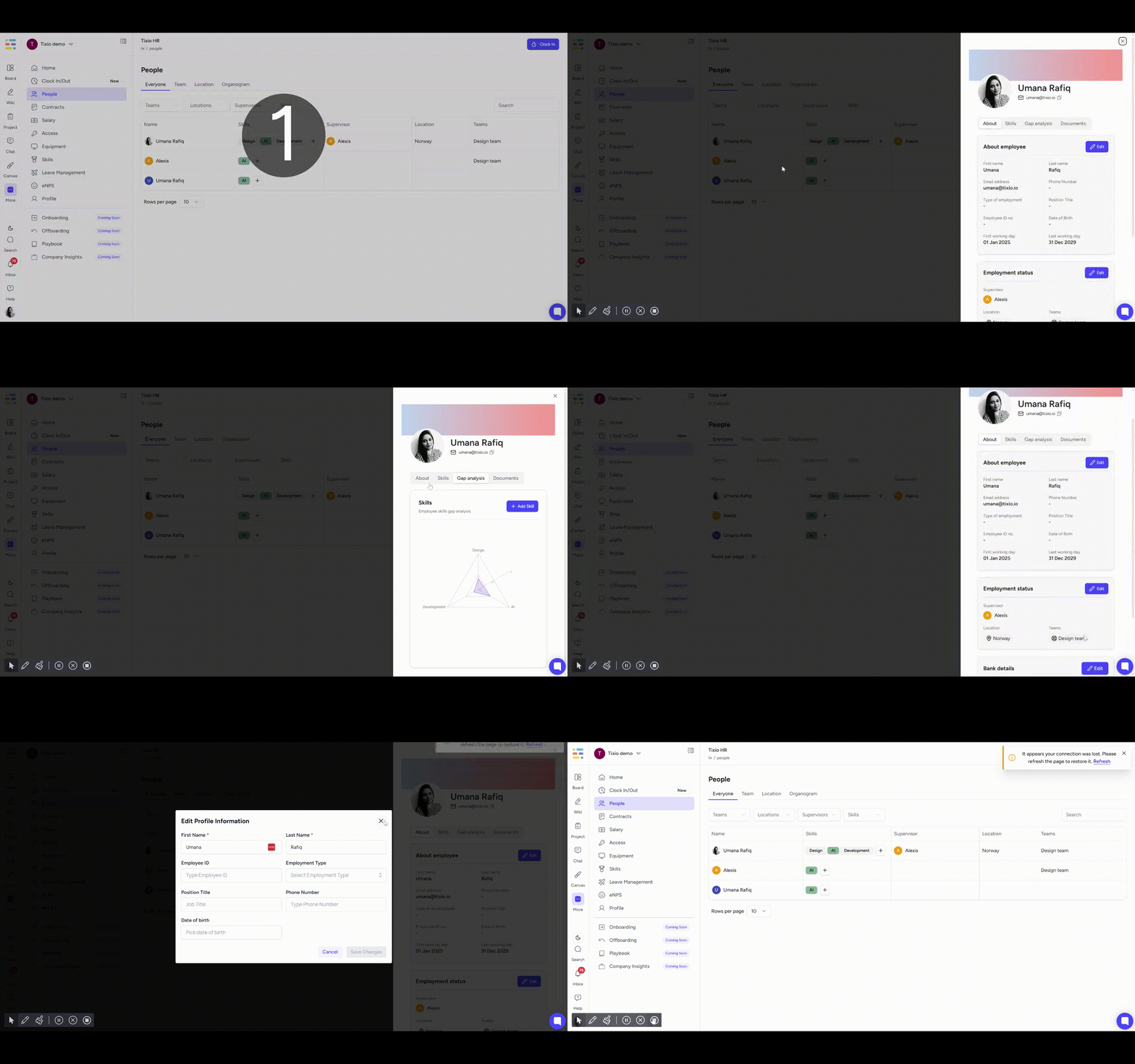
You can view & edit the following details for employees as an HR admin or owner
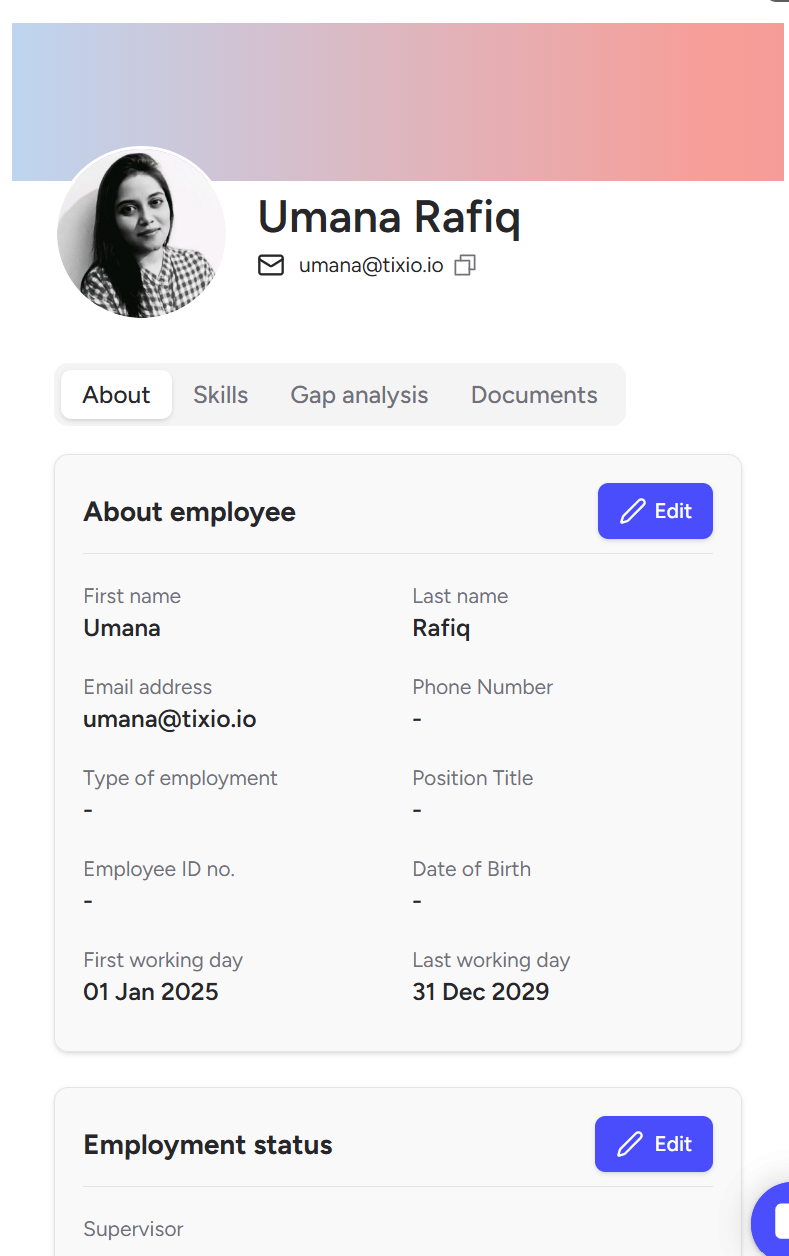
About
First name, last name, email, phone number, type of employment, position title (designation), employee ID, date of birth, first working ay, last working day etc.
Employment status
You can select a supervisor, team and location for the employee.
Bank details
You can add bank details for employee, such as account number, location and other relevant details for reference. (Note: this won’t be visible to other employees)
Skills
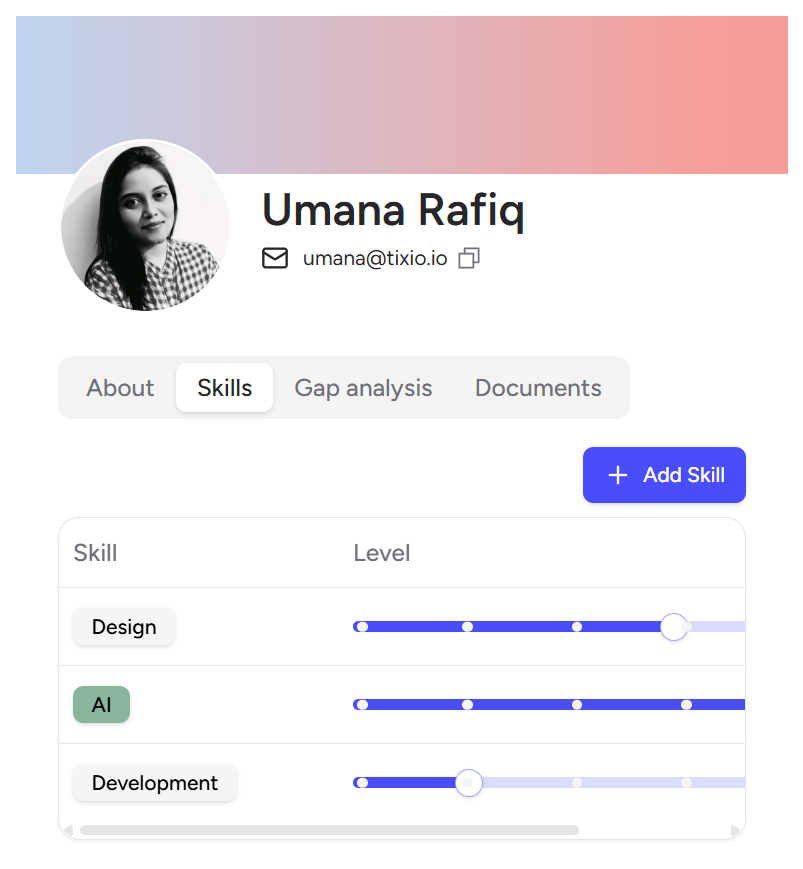
Edit and add skills for employees. Change the skill level as your employee grows over time.
Gap analysis
Gives you a glimpse of your employee’s skill gap and where to improve.
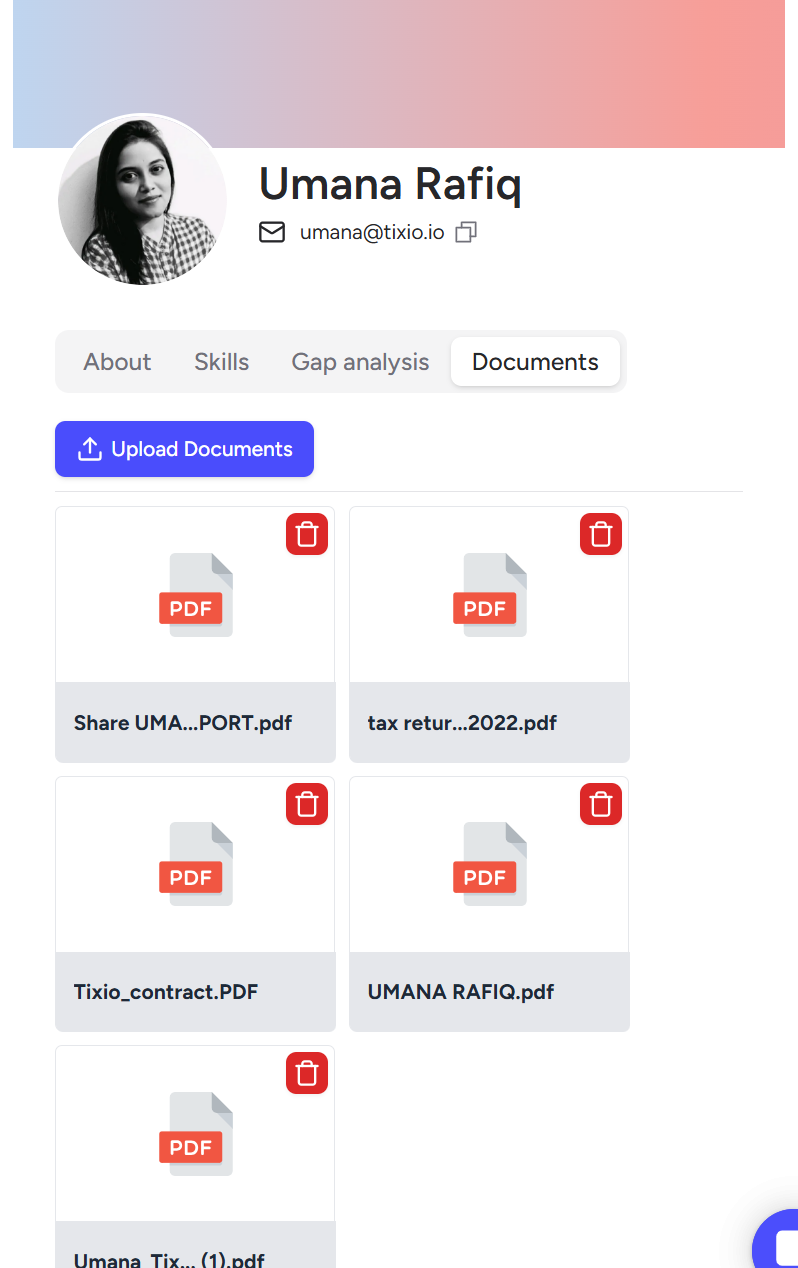
Employee Document Folder
This is a centralized folder where you can securely store and manage all documents related to each employee, such as contracts, ID proofs, certificates, salary slips, and more.
Instead of searching through your computer or external drives, you can access all employee files in one place.
This helps HR stay organized, reduce manual tracking, and quickly retrieve documents whenever needed, especially during audits, onboarding, or internal reviews.
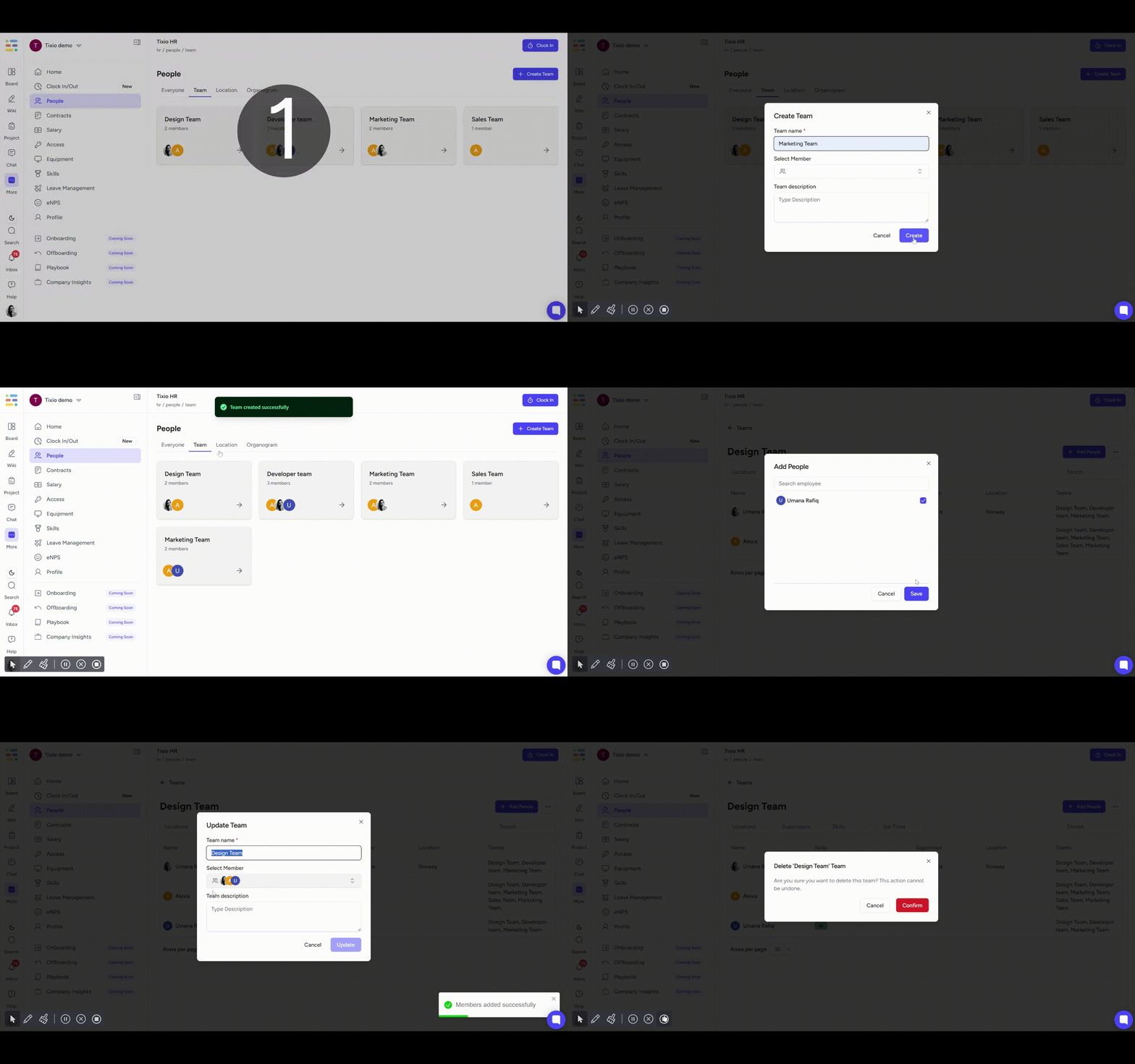
Create and view teams under your organization, add people to teams. This helps manage organogram, work schedule and other stuff. Also, helps your employees understand what team they belong to and the overall company structure.
You can add more teams, add people to teams, edit team details or delete a team.
Create and view locations under your organization, add people to locations. This helps manage companies maintain employees working across multiple locations across the world, perfect for remote and distributed teams.
You can add more location, add people to location, edit team details or delete a location.
Once you have assigned supervisor and teams to your employees, Tixio HRM will create an organogram for you based on the data.
HR admin
HR admin can add people, edit and delete people, edit skills, add teams & locations
Employee
Can only view all employees list, information, teams, location, organogram etc. but cannot edit any item.